

S3 Inventory Report vs. CloudSee Drive Explained
A compliance auditor asks for every object tagged pii=true across dozens of S3 buckets…immediately. You know the data exists, but you also know S3 Inventory won’t help you right now. This reflects the operational gap many AWS teams run into: S3 is highly scalable, richly tagged, and deeply integrated, but it’s not searchable in real time. When time-sensitive requests hit (security incidents, audits, or compliance checks), that gap becomes painfully obvious. At the center of this problem is your S3 tagging strategy. Tags are only valuable if you can query them instantly. That’s where S3 Inventory Reports and CloudSee Drive Search fundamentally differ.
What S3 Inventory Reports Deliver
Amazon S3 Inventory is a reliable, AWS-native feature designed for visibility at scale. It produces scheduled reports (daily or weekly) listing objects and their metadata, including:
- Object size and storage class
- Encryption and replication status
- Last modified date
- Optional object tags
For use cases like cost analysis, lifecycle audits, or feeding downstream analytics pipelines, S3 Inventory performs well. Many teams export reports into S3, query them via Athena, and integrate results into dashboards or governance workflows. S3 Inventory, however, was built for batch processing rather than real-time discovery. Three limitations surface immediately in high-pressure scenarios:
Latency
Reports are generated on a schedule. Any object created or updated after the last run is invisible until the next cycle.
No Native Query Layer
Inventory outputs raw data (CSV or Parquet). To extract value, you must configure Athena, manage a Glue catalog, and write SQL queries.
Static Snapshots
Inventory reflects a past state. It cannot answer questions about what exists right now across accounts or regions.
In practice, this means S3 Inventory answers “What did my data look like yesterday?”—not “Where is this file right now?”
Where CloudSee Drive Search Changes the Model
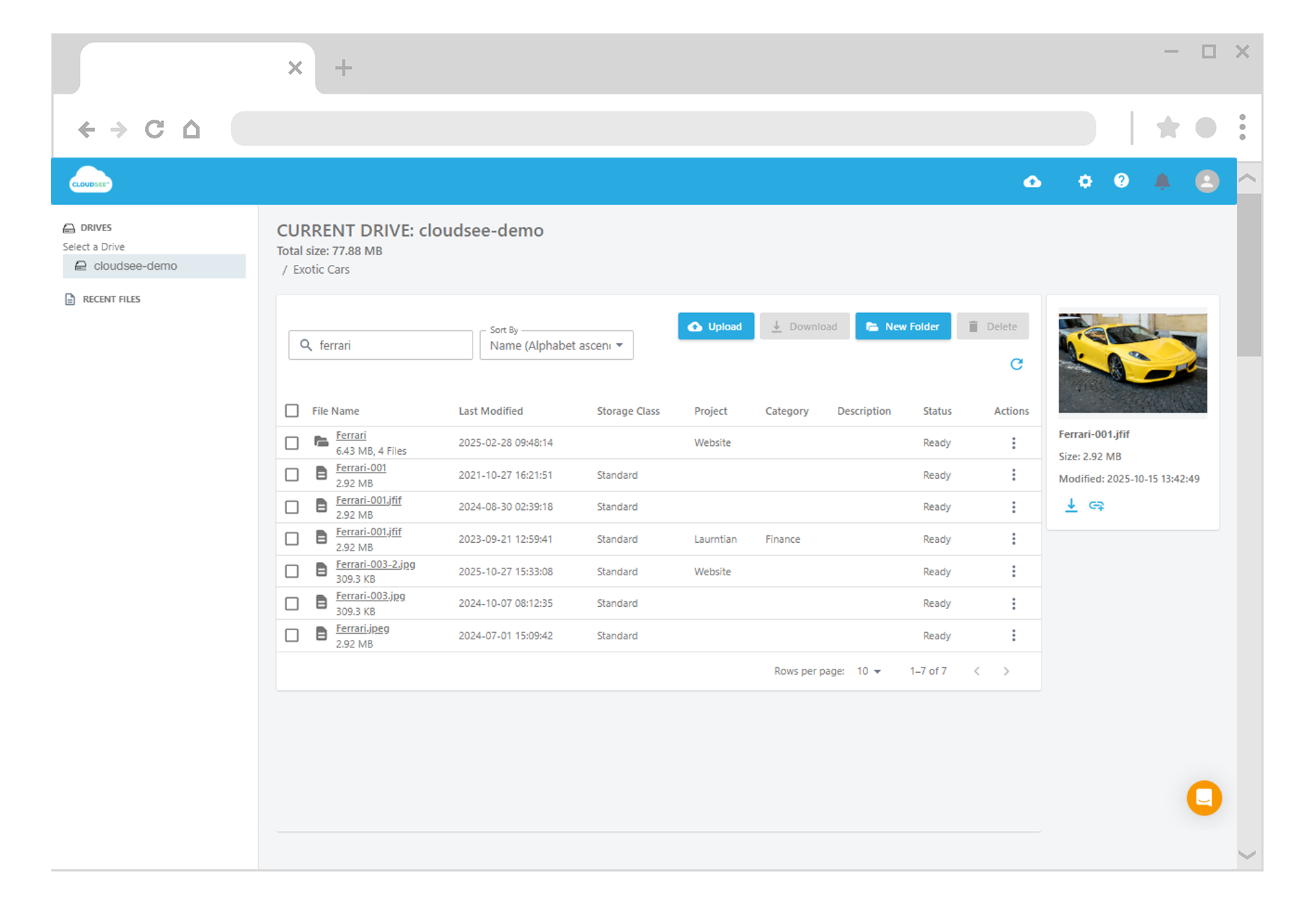
CloudSee Drive approaches the problem from a different angle: instead of exporting metadata for later analysis, it continuously indexes S3 objects and their tags for immediate search. That architectural shift has meaningful implications for AWS operators.
Real-time Search Across Metadata
Query tags, prefixes, storage class, or object attributes instantly—without waiting for report generation.
Cross-account Visibility
Search across multiple AWS accounts and regions from a unified interface.
No Query Infrastructure
Eliminates the need for Athena tables, Glue crawlers, or ad hoc SQL during incidents.
Actionable Results
Move directly from search to response, whether that’s exporting results, validating compliance, or identifying misconfigurations.
Instead of treating S3 metadata as something you analyze later, CloudSee turns it into a live index you can query on demand.
Real-World Scenarios
The difference becomes clear in common AWS workflows:
1. Incident Response
A security alert flags potential exposure in production data. You need all objects tagged environment=prod and classification=confidential.
With S3 Inventory: Check report freshness, load into Athena, write queries, validate results.
With CloudSee: Run a search query and get results in seconds.
2. Compliance Audits
Auditors request proof of tagging compliance across environments.
With S3 Inventory: Provide last generated report and explain timing gaps.
With CloudSee: Filter live data and export exactly what’s requested during the meeting.
3. Tagging Hygiene
Your tagging policy requires owner, environment, and data-classification.
With S3 Inventory: Identify gaps after the next report cycle.
With CloudSee: Detect untagged or mis-tagged objects immediately.
These are not edge cases. They’re routine operational demands for modern AWS teams.
Choosing the Right Tool
This is not a strict replacement scenario. Most mature AWS environments benefit from both approaches.
Use S3 Inventory when you need…
- Scheduled snapshots for compliance or reporting
- Large-scale data exports for analytics pipelines
- Historical comparisons over time
Use CloudSee Drive Search when you need…
- Immediate answers during incidents or audits
- Real-time visibility into tags and metadata
- Cross-account search without additional infrastructure
The distinction is timing: batch vs. real-time.
Make Your S3 Tags Actionable
Many organizations invest heavily in tagging strategies: defining schemas, enforcing policies, and aligning teams. But without real-time search, those tags function more like delayed reports than operational tools. Closing that gap changes how teams work. Instead of waiting for data to surface, you can query your entire S3 environment instantly, using the metadata you already maintain.
If your current workflow still depends on overnight reports and manual queries, it may be time to rethink how you access your own data. CloudSee Drive Search turns S3 tags into a live, searchable index. When the next urgent request comes in, you already have the answer.
TL;DR
- S3 Inventory Reports are designed for scheduled, batch analysis…not real-time search.
- They require Athena, Glue, and manual querying to extract value.
- CloudSee Drive Search indexes S3 metadata continuously for instant retrieval.
- For audits, incidents, and tagging enforcement, real-time search dramatically reduces response time.
- Most teams benefit from using both. For urgent queries, Inventory alone is not enough.
Leave A Comment