
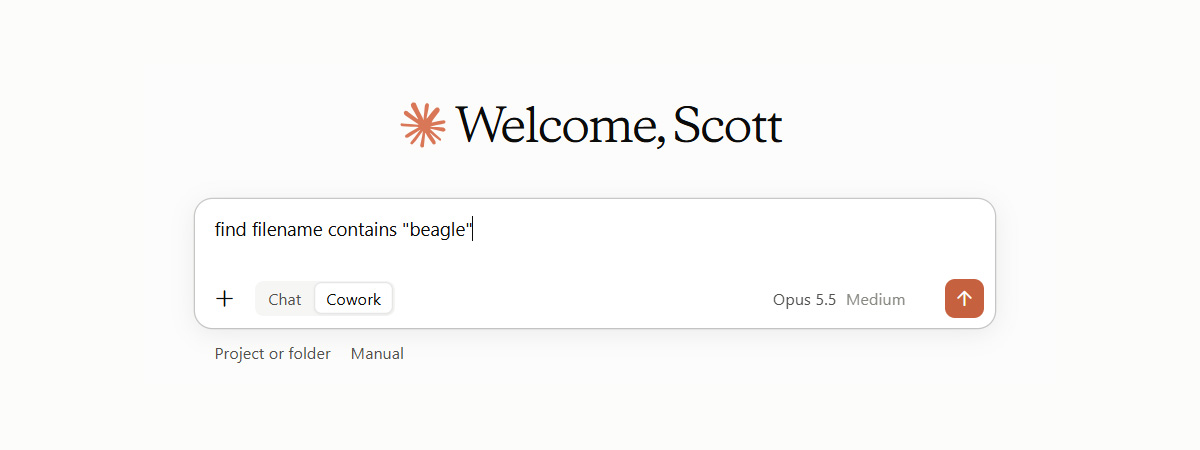
CloudSee Drive now works inside Claude
Our Amazon S3 MCP server is listed in Claude’s connector directory, and any CloudSee Drive subscriber can connect it in about a minute.
Once it’s connected, you ask Claude for files in plain English and it answers from your own S3 buckets.
There’s nothing to install and no API keys to manage.
What CloudSee’s Amazon S3 MCP Server can do with your buckets
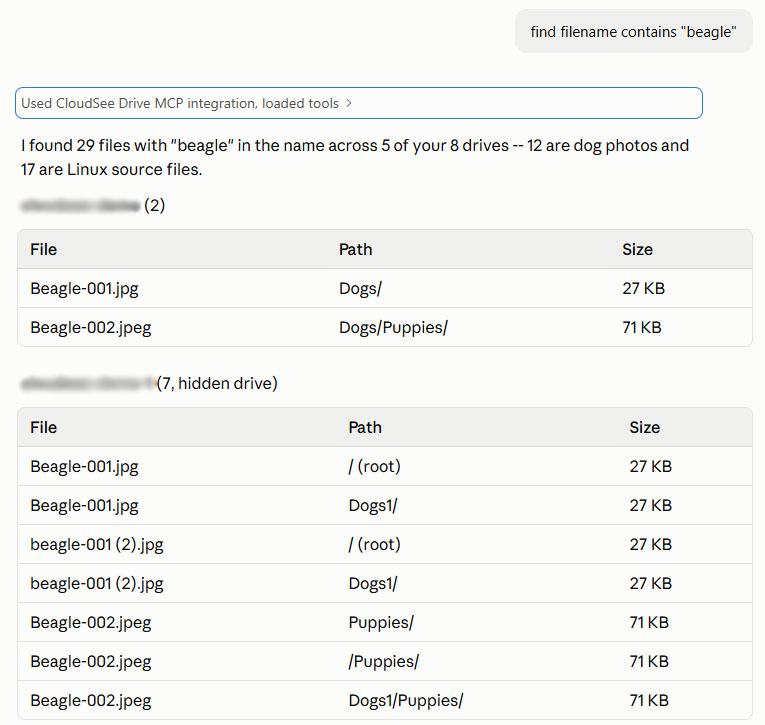
Claude can search, browse, organize, and share files in every bucket your CloudSee Drive account can reach.That covers the requests AWS admins field all week from people who’ll never open the Console:
- “Find all PDFs with ‘invoice’ in the name.”
- “Find files tagged department=MKTG.”
- “Show me the files changed this week.”
- “Create a share link for budget.csv that expires in 7 days.”
- “Move last month’s reports into the Archive folder.”
Claude can also pull file details (size, dates, storage class, metadata and tags), create folders, rename & duplicate files, and restore archived objects from S3 Glacier.
It runs anywhere Claude runs: web, desktop, and mobile.
Search that comes back in about a second
The speed comes from Fast Buckets, the same index behind search in the CloudSee Drive web app. Every file is searchable in a second, even in buckets with millions of objects.
That matters even more for an AI agent than it does for a person.An agent calling S3 directly has to page through ListObjectsV2, which returns at most 1,000 keys per request. Finding one object in a ten-million-object bucket that way can take around 10,000 LIST calls, each one billed and each one burning time while the conversation waits. The CloudSee connector skips all of that.
Claude queries CloudSee’s index, gets the answer, and moves on to the next step of whatever you asked it to do.
Claude can read & write AWS Tags
You can direct Claude to find files by AWS Tag and update tags or metadata from the conversation. Tag search runs on the same index that powers Tag Explorer, so results come back in about a second.
Writing tags is where this gets useful for admins. Lifecycle rules and IAM policy conditions can both key off object tags, so a tagging cleanup has serious operational payoff.
Claude can update a file’s tags along with CloudSee’s project, category and description fields.
Before it writes any change, Claude shows you what’s about to change and asks you to confirm.
Security in the Amazon S3 MCP server
Claude gets exactly the access the signed-in CloudSee Drive user already has.
Here’s how that works:
- Sign-in from on CloudSee Drive. The Claude connector uses OAuth 2.0. Claude never sees your password, and there’s no long-lived key sitting in a config file.
- You approve the scopes. The consent screen lists four permissions: view files and folders, download files, upload and change files, and delete files.
- CloudSee enforces permissions on every call. Roles and folder-level grants are checked on server-side. A user with access to one folder only sees one folder.
- Destructive actions need your confirmation. Claude asks before it deletes, moves, or overwrites anything. Deletes only work if your CloudSee role allows them on that drive.
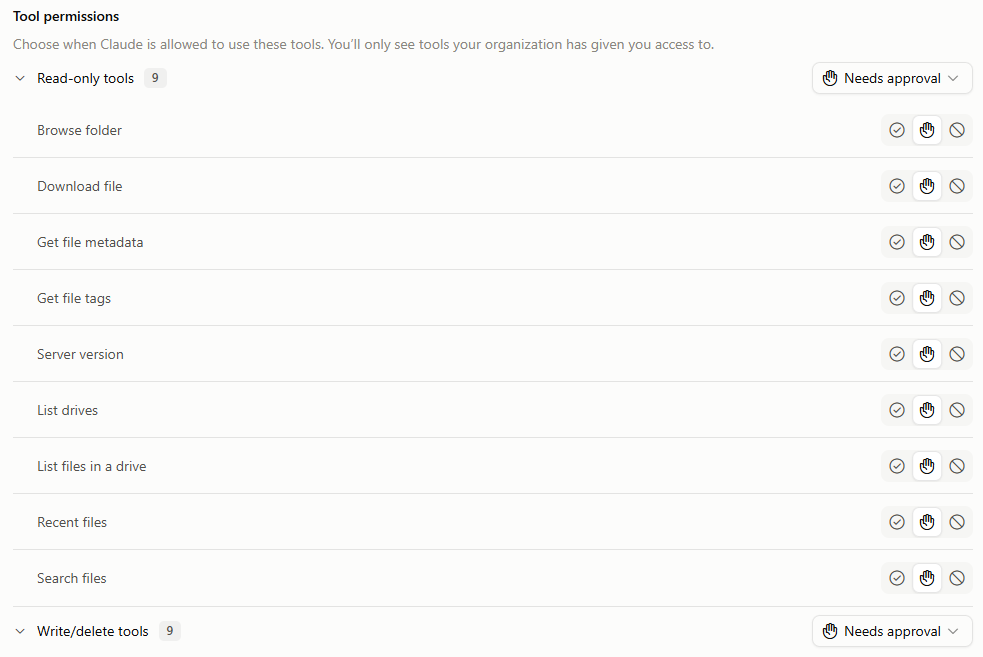
- You control each tool. In Claude’s connector settings, tools are grouped into Read-only and Write/delete. Set each group, or each tool, to Always allow, Needs approval, or Blocked. Block the write/delete group if you want a read-only rollout.
- Your files stay in your buckets. The connector passes requests between Claude and CloudSee Drive. It does not copy or store files, file names, or metadata.
- Links expire. Download links are short-lived. Share links carry an expiry date and can be revoked early.
- Disconnecting ends access immediately. Reconnecting requires a fresh sign-in.
Team and Enterprise plans work the way an admin would want. An organization owner adds the connector once, then each member connects and signs in with their own CloudSee Drive account. Every user brings their own permissions, so there’s no shared service account to audit.
CloudSee Drive also never widens the access your AWS account granted it in the first place.
Leave A Comment