

An S3 data inventory should happen before your AI kickoff, not three weeks later when somebody asks which bucket holds the claims data. Cloudera’s public-sector findings from its Data Readiness Index 2026 (released October 26), put numbers to the problem. Only 31% of respondents reported full visibility into where their data resides. Another 44% cited limited visibility into data location as a serious access challenge. Although those are public-sector results, not an AWS benchmark, they should sound familiar to anyone who has inherited an AWS account.
The buckets exist, and the data probably exists. The person who understood the system left the company two weeks ago. Before the project starts, establish what’s there, who owns it, whether it’s still useful, and who can read it. No custom discovery platform needed.
Start with a report, not a console safari
Amazon S3 Inventory produces a daily or weekly object list for a bucket or selected prefix. It includes object metadata so you can choose current versions or all versions. Configure it early: the first report can take up to 48 hours.
For this first pass, choose fields that help identify objects, including size, storage class, and modification dates. Keep version scope consistent so your totals mean something.
S3 Metadata’s live inventory tables offer a more current alternative, with object updates typically reflected within an hour after the initial backfill. They are useful when the project needs fresher visibility, rather than another reporting workflow.
Either way, the object list is your starting point (not your finished inventory!). A filename cannot tell you whether a dataset is approved for AI use.
Give every important prefix an owner
Start with a summary by top-level prefix: object count, total size, and a named owner. Have an analyst produce the rollup (if necessary). The useful work is resolving the result. Expect two categories:
- Recognizable business datasets, such as claims exports or invoice archives.
- Unexplained leftovers: such as tmp2/ and awssummit/.
Prioritize prefixes the AI project really needs. Ask owners what each dataset contains, which system produces it, and whether it is authoritative. Record the answers in a shared worksheet or catalog. “Marketing” is a department, not an accountable owner. Name a person or operational team. Adopt (or enforce) on a naming convention for new writes. Save historical cleanup for a separate change plan; discovery does not need to become a bucket-renaming exercise.
Add useful tags without flattening existing ones
Object tags provide structured context beyond the name. S3 supports up to 10 tags per object, so keep the scheme small: owner, classification, project, and retention category are sensible as foundation.
Define acceptable values before applying them. Confidential, confidential, and CONF should not become three competing classifications.
S3 Batch Operations can apply tags across objects listed in a manifest, including an Inventory-based manifest. The important catch: its “Replace all object tags” operation replaces the complete tag set. It does not quietly append your new owner tag while preserving everything else. Review existing tags before submitting the job.
Track coverage against required fields, not merely whether an object has a tag. A dataset tagged project=test still needs an owner and a classification decision. For an AI-bound dataset, require those decisions before access approval. A bucket-wide percentage can wait, while the data entering the pipeline cannot.
Separate old data from unused data
An inventory’s modification date is a starting point for review. Use request evidence to assess usage. S3 server access logs record bucket requests; CloudTrail data events capture object-level operations such as reads and writes. By default, CloudTrail does not record data events, so enabling them adds to the cost. Scope collection to the buckets under review.
If broader trends are enough, S3 Storage Lens advanced activity metrics can help identify infrequently used prefixes. Confirm the reporting configuration covers the prefixes you care about. Do not enable logging on Monday and declare a year of inactivity on Friday. Record the observation window and its gaps. Missing history means “unknown,” not “unused.” Send candidates to owners for review. Ask about seasonal reporting, retention obligations, recovery needs, and whether the data has been superseded.
For the AI project, the question is if an object deserves cheaper storage and whether the dataset still describes the business correctly. An obsolete rate table can be perfectly readable and entirely wrong.
Map access before adding another reader
Start with IAM Access Analyzer for S3. Its external-access findings identify buckets configured for public or cross-account access. That is a useful first sweep, not a complete internal-access map. Review bucket policies, relevant IAM roles, access points, and any enabled ACLs. Record which identities need access and why. Access Analyzer evaluates bucket policies, ACLs, and access points for external-access findings, so use those findings to prioritize investigation.
Also review applications that generate presigned URLs. AWS documents how server access logs and CloudTrail data events can identify their use. Treat those applications as part of the access review. For the new workload, make the proposed scope explicit: approved datasets, approved prefixes, intended operations, and a responsible owner.
The definition of S3 data inventory “done”
Keep one concise record per bucket:
- Relevant prefixes and accountable owners.
- Classification decisions and required-tag coverage.
- Usage evidence, observation dates, and unresolved gaps.
- Stale-data decisions and access-review findings.
“Where’s the claims data?” now has an answer: here’s the prefix, the owner, and the approved access plan.
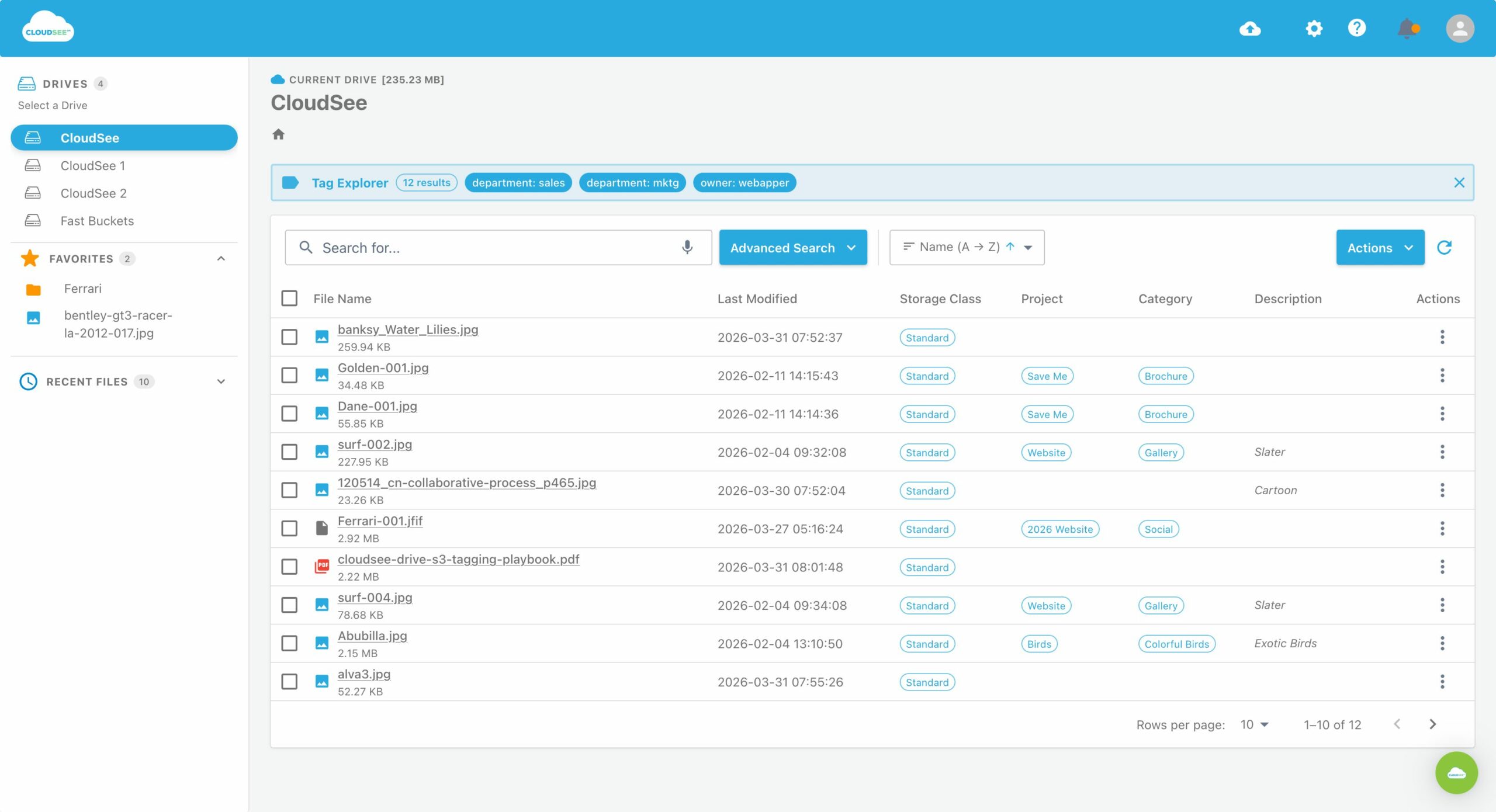
CloudSee Drive can make discovery work easier to share. It provides browser-based search across permitted S3 buckets by filename, type, date, description, or custom tag. It does not replace ownership decisions or permission reviews, but it complements the process.
Explore CloudSee Drive when your next discovery kicks off.
Leave A Comment