CloudSee Drive Tax Explorer

AWS Tags are (sort of) cool…

If you’ve ever managed a serious S3 bucket, you know the drill: thousands of objects, zero visibility into your tags unless you already know exactly where to look. The AWS Console wasn’t built for this. Resource Explorer wasn’t either. They’re workarounds, not workflows.
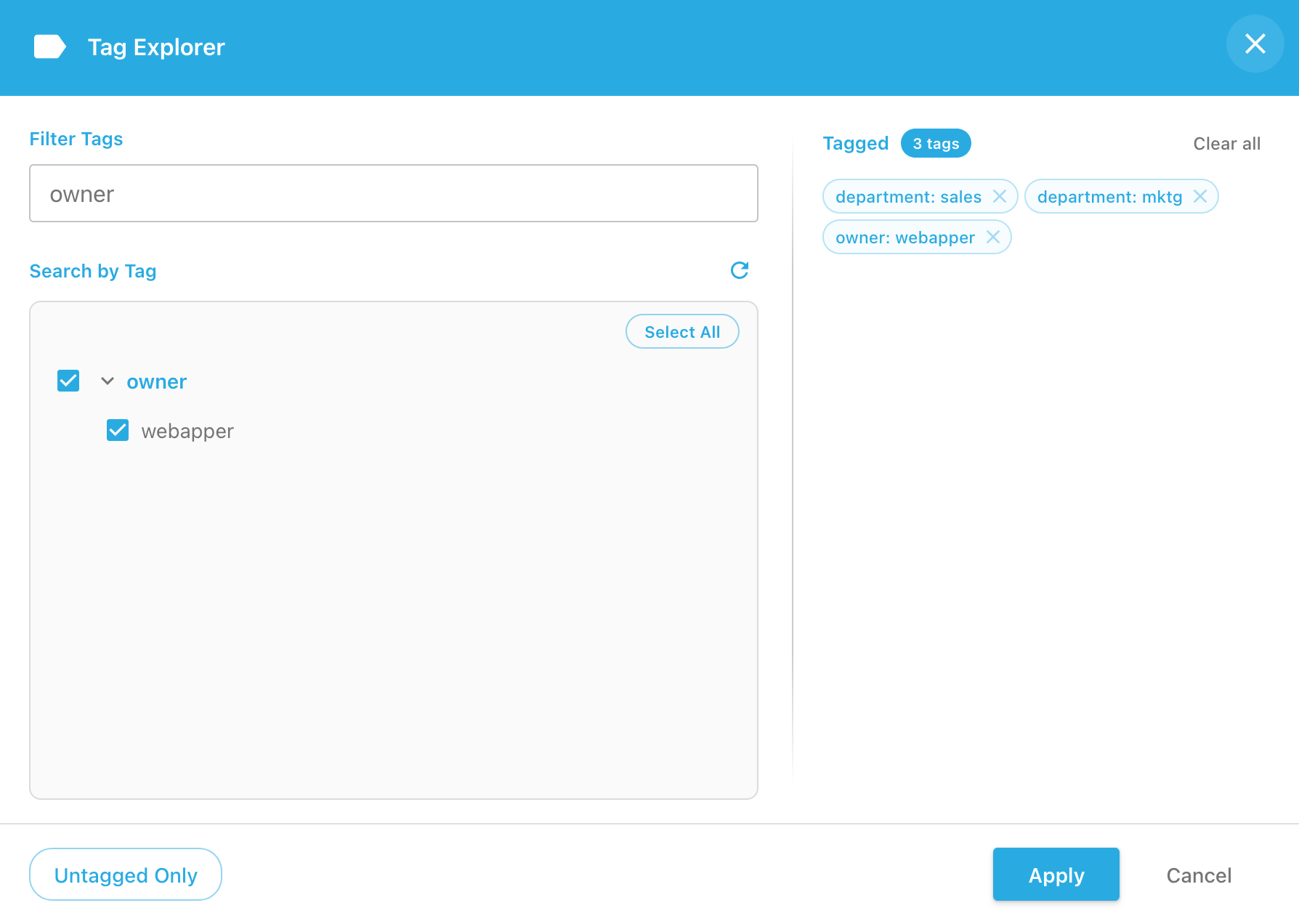
Vloudsee Drive’s Tag Explorer is (very) cool.

CloudSee Drive: Tag Explorer

As your S3 footprint grows, so does your tag landscape. Dozens of categories, hundreds of values, all theoretically organized but practically invisible. Tag Explorer gives you a fast, browsable view of every tag in your bucket so you can use them to find things. Click a tag, filter your objects, done.

Turns out the AWS Tags you spent all that time applying should do some work for you.
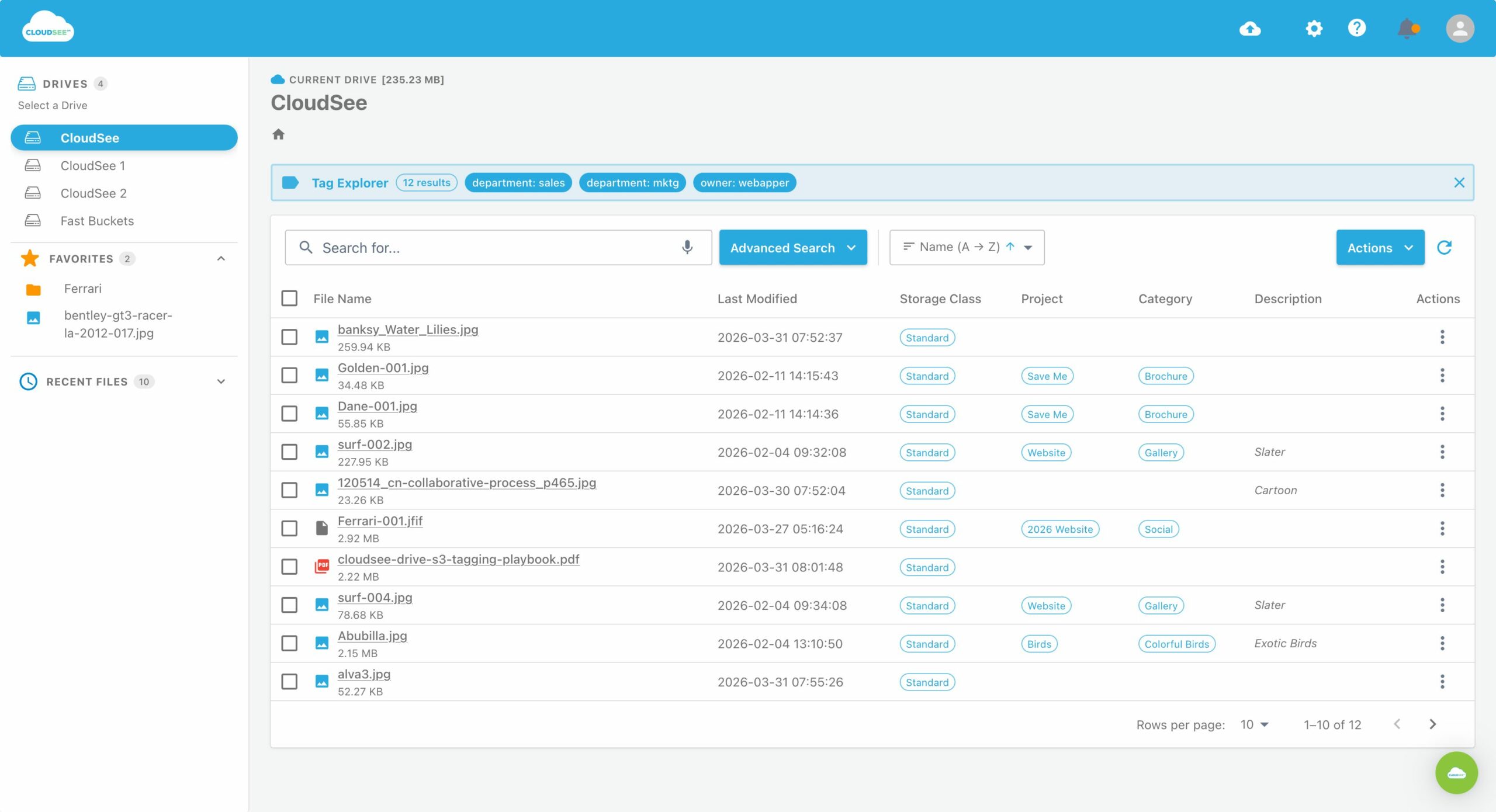
CloudSee Drive: Tag Explorer

What Tag Explorer Does for You

  • Single AWS Tag search: If you know the tag, type it in and CloudSee Drive quickly finds all objects with that tag.

  • Multi-Select Tag Search: If you’re not sure, you can select a group of tags to find.

  • Untagged Search: If your Tag Game is strong, you already have automated tags. But now you can find the orphaned files (from that IT guy you fired last year).

  • Instant results: Leverage Fast Buckets indexing for lightning-fast searches across massive buckets.

CloudSee Drive: S3 Tagging Playbook

AMAZON S3 TAGGING
PLAYBOOK

Amazon S3

What CloudSee Users Say

To keep up with inbound customer queries about DMS feeds, we needed a file management and collaboration tool. We chose CloudSee Drive and I am happy with that decision. We can manage files from any device. I consider this the ultimate productivity tool for managing content on S3. We can organize and tag files easily, which increases staff productivity in the long term.

Pete Carusone, President & CEO
VisionAST

I’m able to select which user can see which bucket and with which permissions. That is a game changer!

David L., IT Director in Manufacturing

We use CloudSee Drive to access company file archives in S3. CloudSee works great to setup designated recovery users and manage which buckets they have access to. With S3, you can’t restore more than one file at once and you can’t search very well. We needed a solution to both those issues. CloudSee works great for what we need.

Derek B., Director of IT in Commercial Real Estate

Stop navigating.
Start finding by Tag.

Take a closer look at CloudSee Drive with Fast Buckets.

We’ll start with a 20-minute live demonstration.


    Make Amazon S3 Simple, Searchable, and Superfast.