
Keep MCP Agents Useful Without Letting Them Roam Production.
Giving an AI agent access to Amazon S3 can be genuinely useful. It can find research files, summarize reports, help troubleshoot storage issues, or pull approved data into a workflow. It can also become the fastest intern your company has ever hired…one with API credentials, no instinct for sensitive filenames, and zero ability to feel awkward before opening the wrong folder. Since the AWS MCP Server reached general availability in May 2026, AWS administrators need to treat AI access as a real production access pattern. AWS-managed MCP servers use your existing IAM permissions, so the agent can only do what you allow. The catch: if you allow too much, it may do too much quite efficiently. The answer is not to ban AI access. It’s to give agents a small, clearly marked part of S3 and make everything else off-limits by default.
Give the Agent One Lane.
The biggest mistake is giving an agent broad read access because it seems harmless:
```json
"s3:GetObject": "arn:aws:s3:::*"
```
That shortcut can allow the agent to open objects from every bucket it can reach. Worse, if you also let it list a bucket’s contents, it can discover filenames that reveal sensitive business information before it ever opens a file. A key such as this says plenty on its own:
```text
legal/acme-lawsuit-documents.pdf
hr/reorganization-draft.xlsx
customers/healthcare-data-export.csv
```
For most AI use cases, the safer pattern is simple: create or designate one prefix for AI-readable content, such as:
```text
acme-research-corpus/agent-readable/
```
Then grant the agent access only to that location. It should be able to list files in that prefix and read files in that prefix (nothing more).
```json
{
"Version": "2012-10-17",
"Statement": [
{
"Sid": "LetAgentSeeApprovedFiles",
"Effect": "Allow",
"Action": "s3:ListBucket",
"Resource": "arn:aws:s3:::fgs-research-corpus",
"Condition": {
"StringLike": {
"s3:prefix": "agent-readable/*"
}
}
},
{
"Sid": "LetAgentReadApprovedFiles",
"Effect": "Allow",
"Action": "s3:GetObject",
"Resource": "arn:aws:s3:::fgs-research-corpus/agent-readable/*"
}
]
}
```
In plain English: the agent can see what is inside the approved folder and read those files. It cannot browse the rest of the bucket looking for interesting surprises.
Make “Read Only” Non-Negotiable.
Read-only access sounds straightforward until someone later attaches a broader policy to the role (it happens, usually during an urgent troubleshooting session). And usually with a vague promise that the extra permission will be cleaned up afterward. A bucket policy can add a firm backstop: explicitly deny the agent permission to upload, overwrite, delete, or modify object tags.
```json
{
"Sid": "StopAgentFromChangingFiles",
"Effect": "Deny",
"Principal": "*",
"Action": [
"s3:PutObject",
"s3:DeleteObject",
"s3:DeleteObjectVersion",
"s3:PutObjectTagging"
],
"Resource": "arn:aws:s3:::acme-research-corpus/*",
"Condition": {
"StringEquals": {
"aws:PrincipalArn": "arn:aws:iam::123456789012:role/mcp-s3-reader"
}
}
}
```
You don’t need to memorize every line to understand the goal: this role can read approved material, but it cannot change your bucket. Even if someone later grants it more power elsewhere, the bucket’s explicit deny wins. That is a good safety net for an AI agent, and it’s a good safety net for humans with strong opinions and a deadline.
Use the MCP Path as a Signal.
AWS-managed MCP servers add context to requests they make on an agent’s behalf. You can write policies that recognize when a request comes through MCP, rather than from an admin using the CLI or Console. For example, your normal operations team might need access to a regulated prefix, while an AI agent should never see it. You can deny MCP-based requests to that location:
```json
{
"Sid": "KeepMCPOutOfRegulatedData",
"Effect": "Deny",
"Principal": "*",
"Action": "s3:*",
"Resource": "arn:aws:s3:::acme-research-corpus/regulated/*",
"Condition": {
"Bool": {
"aws:ViaAWSMCPService": "true"
}
}
}
```
It’s like a “no AI agents beyond this point” sign. An authorized human can still do their job through normal AWS access. The MCP route cannot enter. If you run your own MCP server (versus AWS’s managed version), use a dedicated IAM role for the agent. A separate role is easier to understand, easier to audit, and less likely to turn into a mystery access path in six months.
Know When Bucket Policies Get Messy…
Bucket policies are excellent until they become a Dostoevsky novel. Each S3 bucket policy has a 20kb limit. Complex environments can hit the limit faster than expected, especially when there are multiple teams, agents, prefixes, and exceptions. When that happens, look at S3 Access Grants. It is designed to manage access to specific S3 locations, including buckets and prefixes. It can issue temporary credentials for the access someone or something needs. And it works with IAM Identity Center trusted identity propagation, which can preserve the identity behind an access request instead of recording everything under one shared role.
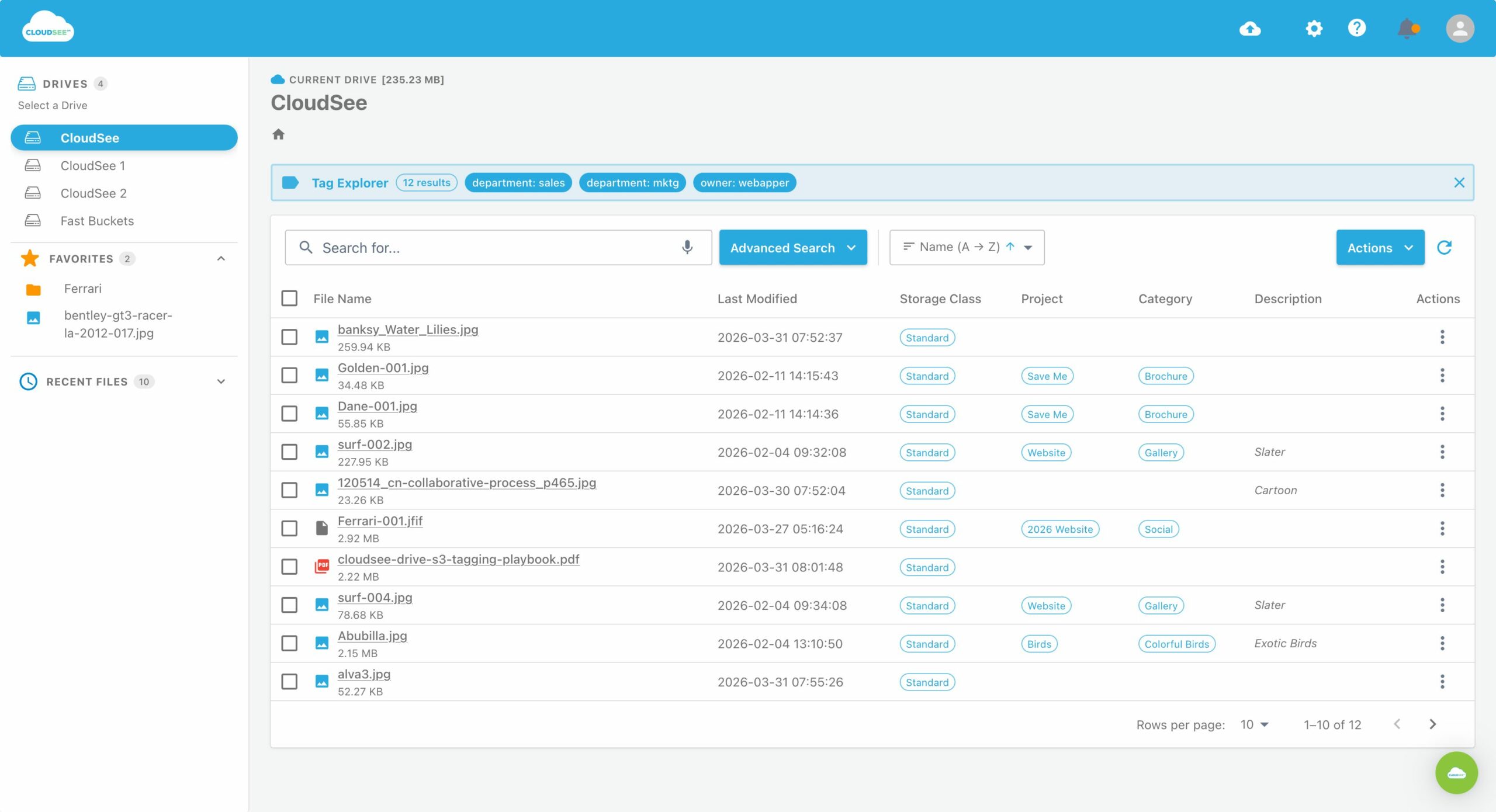
Before you expose any prefix to an agent, inspect it. Don’t assume that a folder called `research/` contains only harmless research. Sensitive data has a unique ability to wander into tidy-looking locations. For large buckets, use a search and discovery tool that can inspect object names, tags, and accessible content without making you page through millions of keys in the Console. CloudSee Drive can help teams audit what is in a prefix before they make it available to an agent.
Test the “No” Paths.
A policy is not finished when AWS accepts the JSON. It is finished when the allowed action works and the forbidden action fails. Try these commands using the same role the agent will use:
```bash
# This should work
aws s3api list-objects-v2 \
--bucket acme-research-corpus \
--prefix agent-readable/
# This should fail
aws s3api list-objects-v2 \
–bucket acme-research-corpus
# This should fail
aws s3api put-object \
–bucket acme-research-corpus \
–key agent-readable/canary.txt \
–body /dev/null
“`
Then enable CloudTrail S3 data events for the bucket so you can see which objects the agent accessed. By default, S3 data events are not enabled, so skipping this step means losing a critical audit trail when questions arise. Finally, run IAM Access Analyzer to spot access paths you did not intend to create. The central rule is uncomplicated: feed the AI agent only the S3 content it needs, deny changes at the bucket level, and verify that it cannot reach the rest.
AI changes the speed and scale of access, not the need for good boundaries.
Leave A Comment