

Amazon S3 Doesn’t Lose Your Files. It Just Makes Them Impossible to Find.
Amazon S3’s durability record is legendary. 11 nines, practically invincible. Your files are there. AWS guarantees it. What AWS doesn’t guarantee is that you’ll be able to *find* those files, understand what they’re *costing*, or confirm that your *lifecycle policies* are actually doing what you set up long ago. That part’s on you. For many AWS teams, this isn’t a crisis…it’s a slow bleed. S3 works fine when a bucket holds a few hundred objects and everyone vaguely remembers what’s in it. But once storage passes six figures and tribal knowledge fades, finding anything starts to resemble archaeology instead of administration.
Ask VisionAST, a SaaS company managing millions of files across multiple buckets. Before they took control of their S3 estate, finding a specific asset meant knowing its exact prefix path. If you didn’t, you were combing through CLI scripts and praying for a match. That’s not an S3 workflow. That’s a scavenger hunt with AWS bills.
The Search Problem Nobody Talks About
S3 isn’t a file system. It’s an object store. There are no folders, only prefixes pretending to be folders. No full-text search. No keyword browsing. You either know the object key or you start guessing. At small scale, this is tolerable. At scale, it quietly consumes hours every week. Someone needs a client upload from three months ago. It’s buried under one of four plausible buckets in an outdated prefix structure. They write a script, run LIST commands, wait 45 minutes, and finally locate the file. Multiply that across the organization and you’ve found a hidden tax on productivity.
Tags were meant to fix this: apply consistent metadata, and you can finally filter, search, and manage your S3 by client, project, asset type, or retention. In theory, it’s powerful. In practice, without a solid S3 tagging strategy, tagging degrades fast. Inconsistent tags are worse than missing tags because they create false certainty, the illusion that your organization is under control (when it isn’t).
The Bill That Snuck Up on You
S3 pricing looks simple, at least until it isn’t. Storage, request, and data transfer costs behave in unpredictable ways once operations scale. What catches most AWS teams off guard isn’t a single expensive API call; it’s accumulated neglect. Temporary files never deleted. Large media still sitting in S3 Standard months after ingestion. Entire prefixes nobody’s touched in years but still billing at high rates.
The issue isn’t with AWS pricing itself. The issue is visibility. You can’t optimize what you can’t see. Without knowing how your data breaks down by age, size, tag, and storage class, your “cost management strategy” is basically guesswork.
Lifecycle Rules You Set & Forgot
If they’re targeting the right objects, lifecycle policies should solve the cost problem. They work beautifully when prefixes and tags are accurate. But when tagging is inconsistent, those policies misfire. Objects meant for Glacier remain in Standard storage because the triggering tag was missing, misapplied, or just outdated. It’s a circular failure: bad visibility leads to bad tagging, which leads to broken lifecycle automation, which leads to higher AWS costs.
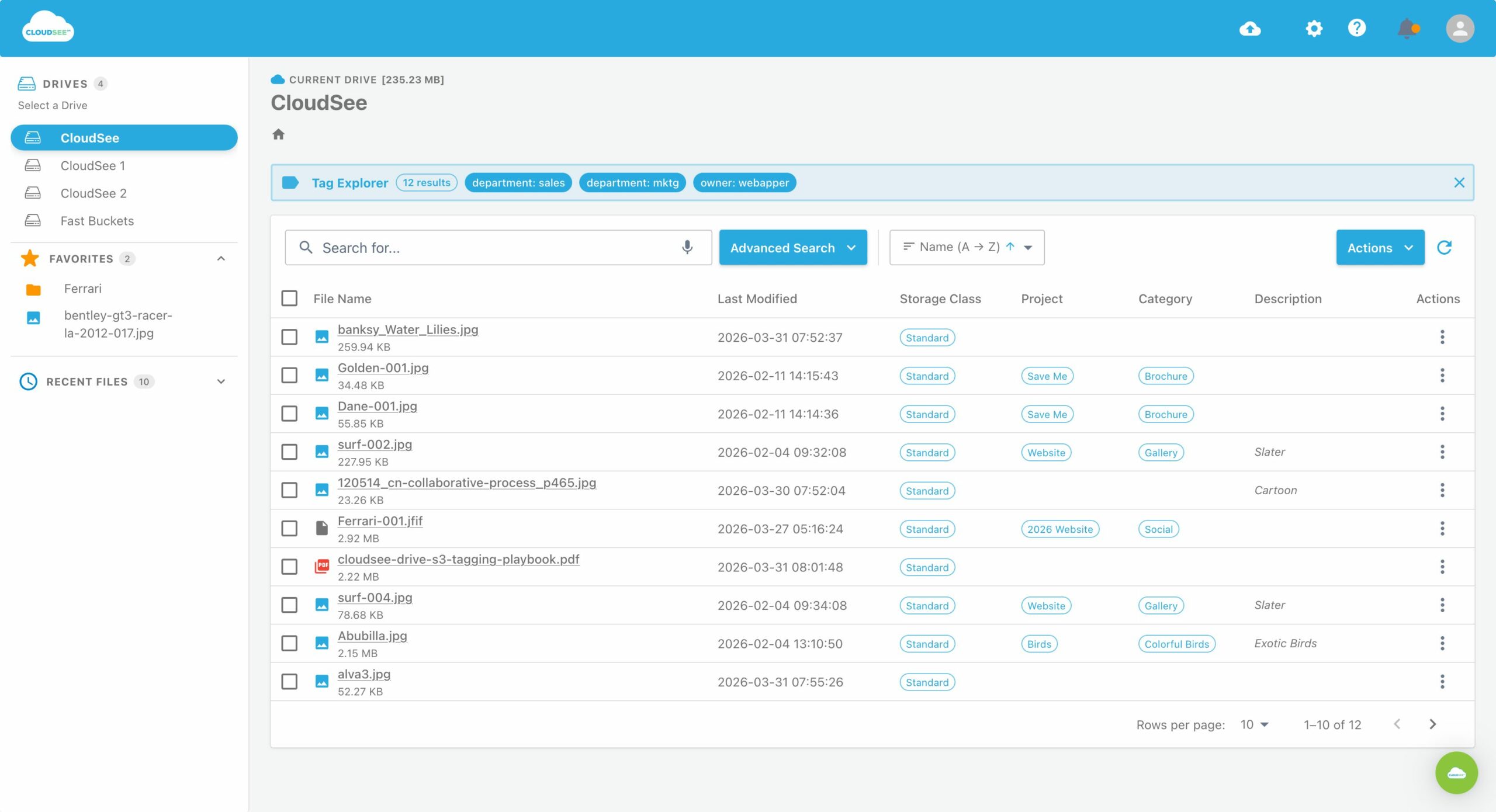
VisionAST didn’t fix this by rearchitecting their environment. They fixed visibility. With a searchable, tag-driven view of S3 contents, they could validate lifecycle execution, remedy drift, and cut S3 management time drastically.
Visibility Is the Fix
Every problem described here — missing files, creeping bills, broken lifecycle rules — has the same root cause: you can’t manage what you can’t see. S3 gives you durability and scalability. It doesn’t give you visibility. That’s the gap where resources disappear.
If your S3 usage has outgrown what CLI scripts can realistically handle, it’s time to look at CloudSee Drive. Fast search, tag-controlled browsing, and storage class visibility. It is purpose-built for AWS teams who need to see what’s in S3 before managing it.
Leave A Comment