Amazon S3 Tips, Tricks, and Resources

A Practical Guide for S3 IAM Policies
Struggling to choose between IAM policies, bucket policies, and Access Grants for S3? We break down each policy type into a simple framework so you can assign access correctly, reduce policy sprawl, and pass audits without the headache.

The Inherited S3 Environment Audit
Inherited an S3 environment with no clear ownership or tagging? This guide walks AWS admins through a fast audit process to uncover untagged objects, hidden costs, and risky permissions before they become bigger problems.
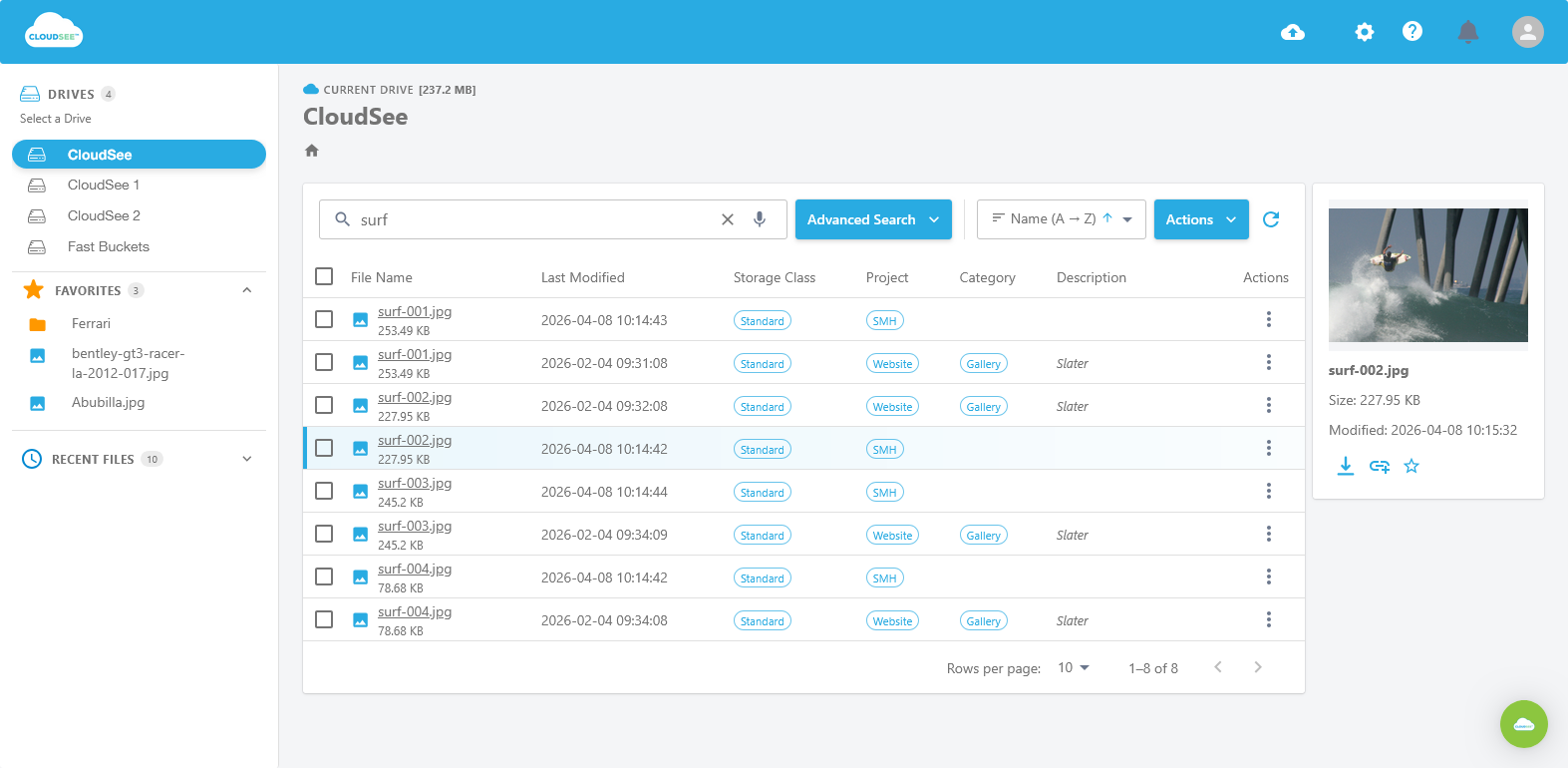
Stop Scrolling: Advanced Search Filters for S3
Launch! CloudSee Drive’s Advanced Search Filters help AWS admins find files in large S3 buckets by filename, type, date, uploader, tags, and Boolean logic.

Amazon S3 at 20
S3 turns 20, but many AWS teams are still managing it with habits from 2006. Poor tagging, weak lifecycle policies, and console limitations are driving cost and complexity at scale.

Your S3 IAM Strategy Is Probably Two Years Behind
Most S3 IAM strategies haven’t kept up with AWS. Learn how to modernize with Access Grants, RCPs, and IAM Access Analyzer in just a few days. NO rebuild required.