

4 Questions Before You Let an AI Agent In
Before you approve an S3 MCP server, get four answers (in writing!): which buckets it can reach, whose permissions it uses, what it can change, and how you’ll trace its actions. Someone on your team wants an AI agent to find files, summarize documents, or tidy up S3. Nobody enjoys hunting through six million objects, but the person connecting the agent may not own the consequences. As the AWS admin, you need an access plan before any production integration.
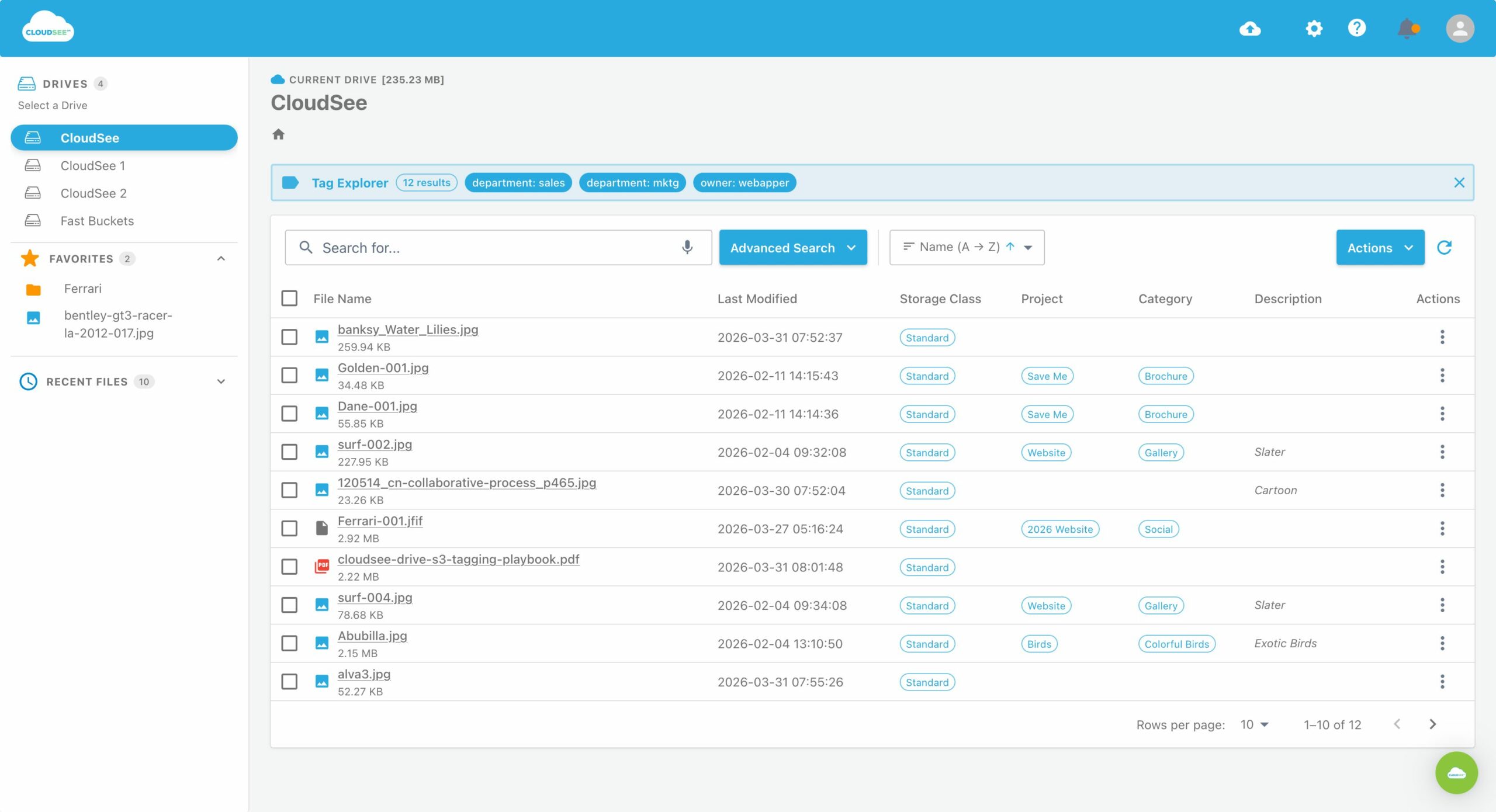
CloudSee Drive offers an Amazon S3 MCP connector in Claude, bringing bucket operations into an AI conversation. The administrative question is what authority sits behind that conversation.
Treat access as the approval decision. The connector is the delivery mechanism.
Which buckets can the agent see?
Start with the inventory: approved buckets, approved prefixes, and the information their names reveal. An identity with s3:ListAllMyBuckets can list the account’s bucket names without having permission to read their contents. Names such as payroll-exports or acquisition-documents can disclose plenty before anyone opens a file.
Ask whether the connector needs account-wide discovery. Convenience is a reason to request access, not a reason to grant it.
For a narrow rollout, name the bucket and prefix explicitly. If the agent needs approved marketing assets, give it approved marketing assets, not the entire marketing bucket because the policy was quicker to write.
S3 separates permission to list objects from permission to read them. Restrict listing to the approved prefix, then restrict object access to the matching object paths. The folder-like appearance in a browser doesn’t establish that boundary for you.
Before approval, test through the connector using its identity:
- Can it list the approved location?
- Can it retrieve an approved object?
- Does listing an unapproved prefix fail?
- Does opening a known, unapproved object fail?
Hiding a file from search results isn’t the same as denying access to it.
Whose IAM permissions does the S3 MCP server use?
Ask which credentials make the S3 requests and how the connector maps a signed-in person to them. If everyone uses one broadly privileged backend identity, the connector needs another reliable layer to enforce individual access. Otherwise, the person with the smallest legitimate scope may inherit the largest available one.
Separate two requirements: authorization and attribution. Authorization determines what someone can do; attribution lets you establish who did it.
A per-user session name and AWS STS source identity can improve attribution for assumed-role activity. By themselves, they do not narrow the role’s permissions. AWS records source identity in CloudTrail when it is configured for the role session.
Ask for a plain-English explanation of both controls. “We use IAM” is a starting point, not an answer.
CloudSee Drive’s current Claude connector uses OAuth sign-in rather than API keys in a desktop configuration. Each person connects their own account, with CloudSee checking roles and folder-level grants on every call. It also provides controls for read-only and write/delete tools.[cloudseedrive]
That gives admins a concrete model to evaluate. Still confirm how the product’s user permissions map to your deployment and how you’ll identify those users in the records available to you.
What is the agent allowed to do?
Approve capabilities individually. “S3 access” is too vague for a change request. A useful starting point is read-only access to a small, approved dataset. Add write capabilities only when there’s a specific workflow, an accountable owner, and a recovery plan. Separate the proposed actions into 3 groups:
- Discovery: listing and searching.
- Retrieval and sharing: reading objects and producing download or share links.
- Changes: uploading, overwriting, copying, moving, tagging, and deleting.
Those groups deserve different scrutiny. Reading sensitive content can expose it to the AI workflow. Sharing introduces another recipient or access path.
Changing objects introduces operational consequences.
A download link is still a way to grant access. Ask who can use it, how long it lasts, and whether it can be revoked. CloudSee documents short-lived download links and share links with expiry dates and early revocation.
For write workflows, make the approval request specific: which operation, against which location, with which confirmation requirement?
CloudSee’s connector documentation says Claude requests confirmation before deleting, moving, or overwriting, and administrators can block write/delete tools. Verify those controls in your rollout rather than relying on a helpful-sounding prompt. “Please be careful” belongs in a conversation. Enforcement belongs in the access controls.
What will show up in the audit trail?
Configure logging before the first production request. Retrospective logging is a wonderful feature that nobody has invented.
CloudTrail does not log S3 data events by default. Object-level operations such as reads and writes require data-event logging, and those records do not appear in CloudTrail’s Event history.
For a trail-based setup, enable S3 data events for the approved buckets and deliver them to your logging destination. CloudTrail supports selecting individual buckets, so the pilot doesn’t require account-wide collection. Then run a small test and inspect the results. Confirm that you can identify:
- The operation and affected object.
- Whether the request succeeded or failed.
- The AWS identity that made it.
- The person behind the connector request.
CloudTrail provides AWS identity and request context. Human attribution depends on how the connector authenticates users and makes backend requests. Don’t assume its application identity appears automatically in the AWS record.
Decide where you’ll retain the associated AI or connector activity, too. An API record can show what happened; investigating why may require the request that triggered it.
When you should approve the S3 MCP server…
Approve it when the access boundary, identity model, permitted actions, and audit evidence are documented and tested. Record the owner, review date, and disconnect procedure alongside them. The next admin should not need to reverse-engineer an experiment from a chat transcript.An agent can make S3 easier to work with. Your job is to make sure “easier” doesn’t quietly mean “more authority than we intended.”
To evaluate CloudSee Drive’s approach, book a demo to see permission enforcement, read-only controls, and the evidence available after a request.
Leave A Comment