

Catch Bucket Trouble Before It Becomes an Incident
Most S3 alerts are built to tell you that something has already gone sideways. A static alarm set to “1,000 DELETE requests in five minutes” catches the runaway lifecycle script at request 1,001…assuming someone chose the right number in the first place. It also has the charm of a smoke alarm calibrated by vibes. AI-based S3 monitoring flips that model. Instead of guessing a universal threshold, AWS services learn what normal activity looks like for a bucket, role, API pattern, or spend profile, then alert you when behavior moves outside the expected range.
This is a practical S3 monitoring stack using services already available in most AWS accounts:
- CloudWatch anomaly detection for request, error, and latency changes
- CloudTrail Insights for unusual S3 object API activity
- GuardDuty S3 Protection for suspicious access behavior
- AWS Cost Anomaly Detection for the financial aftermath
Together, they cover operational drift, API misuse, security risk, and the bill nobody wants to explain in the Monday stand-up.
Start with S3 request metrics
S3’s default storage metrics, such as BucketSizeBytes and NumberOfObjects, are useful for capacity tracking but arrive daily. That is fine for a monthly storage report. It is not fine when an automation role starts deleting production objects at 10:14 a.m.
For faster visibility, enable S3 request metrics on the buckets that matter. These metrics are available at one-minute intervals and can cover request volume, transferred bytes, error rates, and latency. AWS lets you scope them to a whole bucket or filter them by prefix or object tag. They are billed as CloudWatch custom metrics, so do not blindly enable every possible metric on every forgotten bucket from 2017. Start with production, regulated, customer-facing, or high-cost buckets.[docs.aws.amazon][aws.amazon]
For most AWS admin teams, begin with four signals:
| Signal | What it can reveal |
|---|---|
| DELETE requests | Faulty cleanup jobs, lifecycle mistakes, destructive automation |
| 4xx errors | Broken credentials, expired sessions, changed bucket policies, application regressions |
| Bytes downloaded | Unexpected egress, a hot-linked public asset, bulk downloads, potential exfiltration |
| First-byte latency | S3 access issues, regional routing changes, application-side performance trouble |
If a single prefix carries the risk. For example, customer-exports/, production-backups/, or legal-hold/ monitor that prefix separately. A noisy archive bucket should not get to hide a strange burst of downloads from the bucket holding payroll exports.
Replace guessed thresholds with anomaly bands
CloudWatch anomaly detection applies statistical and machine-learning methods to establish an expected range for a metric. An alarm can then trigger when observed activity falls outside that range, rather than when it crosses a static threshold someone picked during a caffeine deficit. This is especially useful where traffic has a rhythm:
- Weekday ingestion jobs
- Monthly reporting bursts
- Regular backup windows
- Customer download patterns
- Scheduled ETL and replication activity
For example, a 10x increase in PutRequests at 2:00 a.m. may be perfectly normal during a recurring batch import process. The same increase on a Saturday afternoon may deserve attention. An anomaly detector can distinguish between those cases better than a single threshold.
Use anomaly detection for buckets with enough activity to establish a meaningful baseline. Start conservatively: a wider expected band means fewer alerts, while a narrow band catches smaller deviations but can become chatty. Review the first week or two of detections before aggressively tuning .
One important configuration detail: treat missing data as not breaching for sparse metrics like DeleteRequests. No delete traffic often means no datapoint, not a stealth catastrophe. If your alarm treats absence as a breach, it will manufacture alerts out of silence.
Let CloudTrail Insights watch object APIs
CloudWatch shows that a pattern changed. CloudTrail helps explain who changed it. CloudTrail Insights now supports data events, including S3 object-level activity. It establishes a baseline for API call rates and error rates, then generates an Insights event when activity differs materially from that baseline. AWS specifically calls out unexpected surges in S3 object deletions as a use case.
This is valuable because S3 request metrics do not identify the caller. CloudTrail data events can give you the principal, source IP address, API operation, bucket, and object-level context needed for an investigation.
Enable CloudTrail Insights for data events on a trail that records S3 data events for the buckets you care about. Be deliberate here: data events can be high-volume and are not enabled by default, so the cost model deserves the same attention as the security model. Logging every object operation across every bucket might be appropriate in a highly regulated environment. It might also be an expensive way to document a busy analytics pipeline.
For most teams, prioritize high-value buckets first:
- Customer uploads and exports
- Production application data
- Backups and recovery artifacts
- Sensitive data stores
- Buckets used by external integrations or automation roles
Use GuardDuty for suspicious behavior
CloudWatch answers, “Did traffic change?” CloudTrail Insights answers, “Did API activity depart from normal?” GuardDuty S3 Protection asks the more uncomfortable question: “Does this look malicious or unauthorized?”
GuardDuty S3 Protection continuously analyzes S3 object-level activity, including operations such as GetObject, PutObject, ListObjects, and DeleteObject, looking for suspicious or anomalous behavior across S3 buckets.
That might include a principal suddenly reading an unusual number of objects, an unfamiliar access pattern, or destructive activity that does not match the role’s established behavior. Route relevant GuardDuty findings through EventBridge to your existing on-call path so they land alongside CloudWatch and CloudTrail alerts.
A useful correction to many older setup guides: you do not need to separately configure CloudTrail S3 data event logging just for GuardDuty S3 Protection. GuardDuty accesses the relevant CloudTrail S3 data-event stream directly and does not require you to manage that logging configuration for its analysis.
This matters as more teams grant S3 access to CI/CD jobs, data platforms, integrations, and AI-enabled automation. Broad IAM permissions plus limited behavioral history can produce a lot of opportunity for “well, that was not supposed to do that.”
Monitor your cost growth
AWS Cost Anomaly Detection is the final detector, and usually the slowest one. It will not save you from an active delete storm, but it can catch the expensive side effects that operational and security alerts miss:
- A replication rule that doubles storage
- A misconfigured workflow writing millions of small objects
- A public object or integration driving unexpected data transfer
- A retrieval or request pattern that turns into a billing surprise
Create a cost monitor scoped to Amazon S3 and set alert thresholds that reflect an amount your team would genuinely want to investigate. If the threshold is so high that it only detects a catastrophe, it is a postmortem notification service. If it is so low that it fires every time a normal project launches, people will train themselves to ignore it.
Avoid noisy AI-based S3 monitoring
Unsurprisingly, AI-based monitoring is pattern detection, and patterns need context.
- Do not use anomaly alarms for nearly idle buckets. A bucket with a handful of requests each day has little useful behavior to model; a static threshold may be clearer.
- Consolidate routing. Send CloudWatch, CloudTrail Insights, GuardDuty, and cost alerts to a shared incident destination with enough context to triage quickly.
- Write a first-action step into every alert. “Check CloudTrail for principal and object keys” is better than “S3 anomaly detected.”
- Test notification paths deliberately. An alarm that exists but cannot wake a human is compliance décor.
When an alert fires, the next task is usually identifying which objects changed. CloudTrail can surface object keys and callers for logged operations, but large-bucket investigation can still be tedious in the Console or via repeated LIST operations.
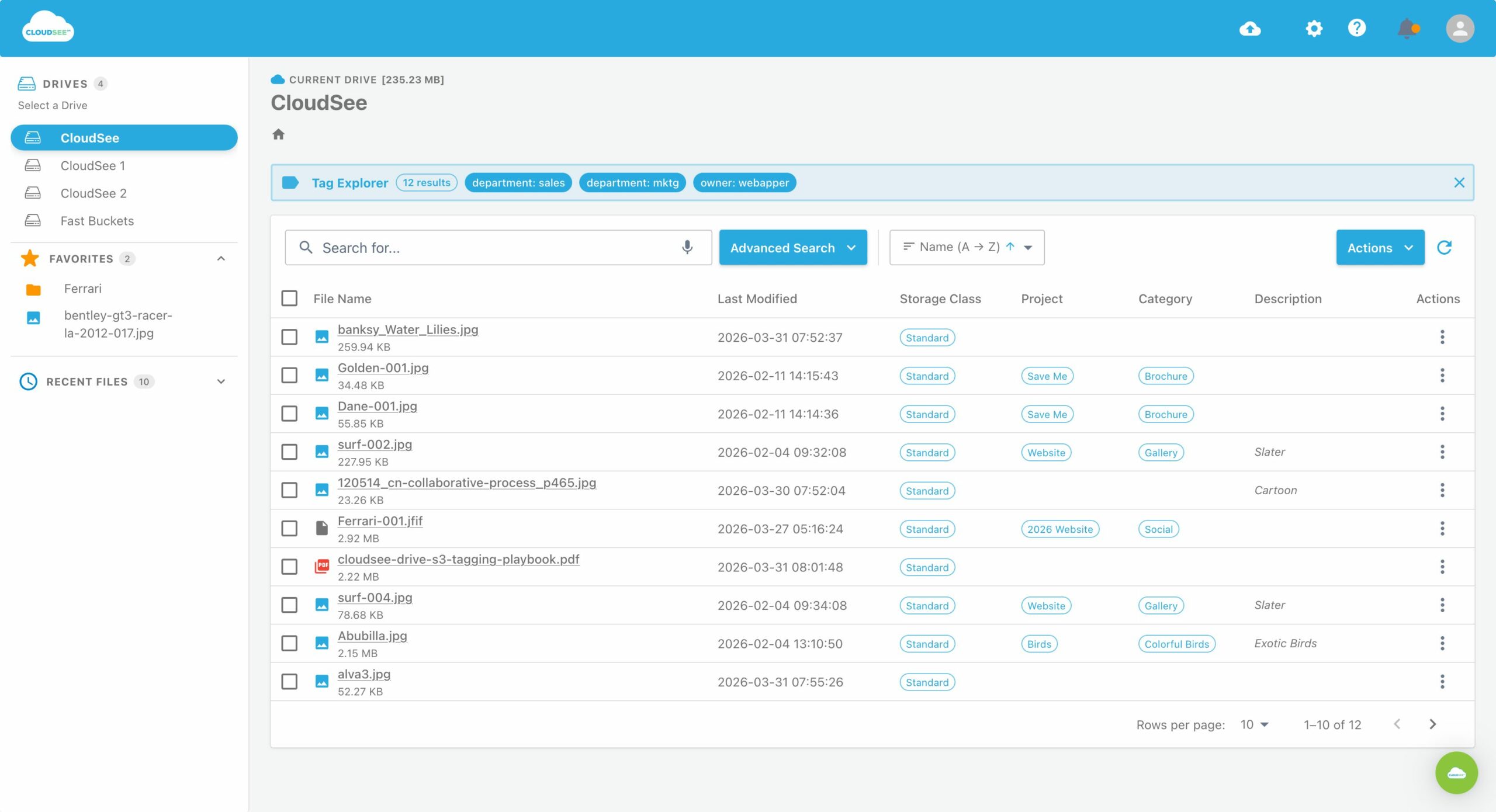
That is where CloudSee Drive can fit into your runbook. Fast Buckets indexes existing S3 buckets in place so admins can quickly filter by modified date, size, file type, or tag without broadening IAM access. AWS tells you that the pattern changed. Use fast object search to narrow down what changed.
Reactive monitoring tells you what broke. AI-based S3 monitoring tells you what is drifting while you still have time to intervene, which is considerably more useful than discovering a storage incident after it has become an invoice, a security ticket, and someone else’s calendar problem.
Leave A Comment