

Most AI-and-object-storage content assumes you have a data team, a seven-figure roadmap, and someone paid to say “digital transformation” without laughing.You probably have one IT person, a few terabytes in Amazon S3, and an owner asking whether AI can save time before it starts costing money.
The good news is that the useful Amazon S3 AI use cases for small and midsize businesses are mostly boring (that’s a compliment!). They solve real chores, run on managed AWS services, can start small, and bill by the page, image, query, or minute instead of demanding a forklift upgrade to your operating budget. None require hauling your data out of S3 and into some mystery SaaS bucket with a logo that looks like a jellyfish.
1. Let People Ask Your Documents Questions.
Your team has answers buried in policy PDFs, proposal archives, operations manuals, old RFPs, and folders named RFP_FINAL_UseThisOne. Amazon Bedrock Knowledge Bases can index documents stored in S3 and retrieve relevant content when someone asks a question. You can use it to build a grounded internal assistant that answers from your company’s documents rather than improvising.
S3 Vectors can serve as the vector-store layer for Bedrock Knowledge Bases, making it possible to keep the source documents and vector data within the S3 ecosystem. AWS lists S3 Vectors storage at $0.06 per GB-month and vector-query API calls at $2.50 per million requests, before applicable data-processing charges. AWS also says its Bedrock Knowledge Bases integration can reduce vector upload, storage, and query costs by up to 90% compared with dedicated vector database options.
Good first candidates include:
- Employee handbooks & HR policies.
- Standard operating procedures.
- Equipment and field-service manuals.
- Previous proposals and RFP answers.
- Internal sales enablement documents.
- Approved product & pricing documentation.
Keep the first scope narrow. A knowledge base pointed at a bucket full of expired contracts, duplicate documents, and four versions of the price list will eventually return the wrong answer with absolute machine confidence. Start with one clean prefix, one document category, and one group of users. “Ask our current SOPs” is a project.
2. Stop Typing Invoices Like It’s 2001.
If someone is manually copying invoice details into QuickBooks, an ERP, a spreadsheet, or a system that was clearly designed during the dot-com era (we really see this…), Amazon Textract is a solid place to start.
Textract’s AnalyzeExpense API extracts common invoice and receipt fields such as vendor names, dates, totals, and line items into structured output. AWS lists the first million AnalyzeExpense pages at $0.01 per page in US West (Oregon). You should confirm your operating Region’s pricing before budgeting
The basic pipeline is far from exotic:
- An invoice PDF uses a specific S3 prefix.
- An S3 event invokes AWS Lambda.
- Lambda sends the document to Textract.
- Textract returns structured results.
- The output goes back to S3, into a review queue, or into your accounting system.
At the listed rate, 2,000 one-page invoices per month is roughly $20 in Textract processing. The value question is simpler: how many paid human hours are currently spent entering the same data badly and then double-checking it?
Do not auto-post everything to the general ledger on day one. Textract returns confidence information for extracted fields. Set thresholds, and route lower-confidence documents to a human review queue. Let the automation handle the tedious 80%, while a human handles the weird receipt from a vendor apparently named “SQ*THING. This is how you avoid teaching your accounting system new and exciting ways to be wrong.
3. Make Recordings Searchable Instead of Ignored.
Support calls, sales discovery calls, safety briefings, site walkthroughs, and training recordings tend to have the same lifecycle. They get uploaded to S3. Everyone feels organized for 10 minutes. Then nobody listens to them ever again.
Amazon Transcribe can read audio stored in S3 and write transcripts back to S3. From there, you can run a Bedrock model to generate a short summary, action items, key decisions, or a list of follow-ups.
The technical flow is manageable. The operational part is where people sabotage themselves.
If the audio file is called meeting_04_11_final.wav and the transcript is called output-134929.json, you do not have a searchable knowledge asset. You have created two more artifacts for a future forensic team.
Add useful metadata at ingestion:
- Customer or project name.
- Call date.
- Call type.
- Account owner.
- Job number.
- Retention category.
- Confidentiality classification.
A practical payoff appears when a customer disputes what your team promised six months ago. Instead of asking someone to scrub through 42 WAV files with timestamps for names, you can search transcripts and summaries for the issue in a few minutes. That is a smart use of AI.
4. Label the Photo Library Overnight.
Construction firms, field-service businesses, property managers, insurers, manufacturers, and logistics teams often have a warehouse of job photos in S3. Usually it’s organized technically, which is to say there are folders.
Amazon Rekognition’s DetectLabels API can identify generic objects and scenes in images. AWS lists image analysis at $0.001 per image for the first million images. Its free-tier period includes 1,000 free Group 1 and Group 2 image analyses per month. Thus, processing 80,000 photos at $0.001 each comes to about $80 before any free-tier allowance or related AWS costs.
Rekognition can identify things such as:
- Trucks.
- Ladders.
- Excavators.
- Scaffolding.
- Hard hats.
- Indoor or outdoor scenes.
- Documents and text-bearing images.
It won’t know that a truck belongs to the Riverside job, that it is the correct truck, or that the photo shows a problem worth escalating. It sees pixels, not your business context.
Pair machine-generated labels with a few human-provided tags at upload:
- Job number.
- Customer or site.
- Project phase.
- Department.
- Retention status.
Let the model handle volume. Let your people supply meaning. A computer can recognize scaffolding; it cannot tell you whether the client will be annoyed about it.
5. Find Out What’s in the Bucket.
This is the least glamorous use case. It may also be the one that saves you from wasting money on the other four. S3 Metadata provides managed metadata tables for analyzing S3 objects. A journal table tracks new objects and changes in near real time, while an optional live inventory table provides a queryable view of bucket objects and updates on an hourly basis. These tables can be queried through Athena and other Apache Iceberg-compatible tools.
For smaller environments, you can ask useful questions without running another hand-rolled inventory script every time someone asks, “What is in this bucket?”
Examples:
- Which prefixes contain the most files?
- Where are duplicate-looking uploads accumulating?
- Which files have not been touched in years?
- Which objects are missing required tags?
- Which project folders contain no metadata?
- Which buckets hold material that should not be included in an AI workflow?
S3 Annotations extend the idea. AWS introduced them in June 2026 as mutable, structured payloads attached directly to S3 object versions. Each object version can hold up to 1,000 annotations, each as large as 1 MiB, with up to 1 GiB of total annotation storage per object. Annotations can contain JSON, XML, YAML, or plain text and do not require rewriting the underlying object.
That is where the output from the first four use cases can live:
- Textract extraction results.
- Invoice confidence scores.
- Rekognition labels.
- Call summaries.
- Document classification.
- Model and workflow version information.
- A human correction when the AI confidently calls a forklift a “large yellow vehicle.”
Annotations are significantly more flexible than standard object tags, which are limited to 10 tags per object version. One billing note: annotation storage is charged at S3 Standard rates even if the object itself sits in a lower-cost storage class such as S3 Glacier.
The Prerequisite: Clean Inputs
Every Amazon S3 AI use case starts by asking which objects the system should touch. S3 gives you object storage, not an all-seeing file browser with perfect cross-bucket visibility. If your data is duplicated, poorly named, stale, or mixed across business purposes, AI will process that mess faster. So…congratulations on your automated confusion.
Before running inference, inventory the relevant prefix. Track down duplicates. Separate current documents from historical artifacts and decide what must never enter a knowledge base, transcription workflow, or image-labeling pipeline.
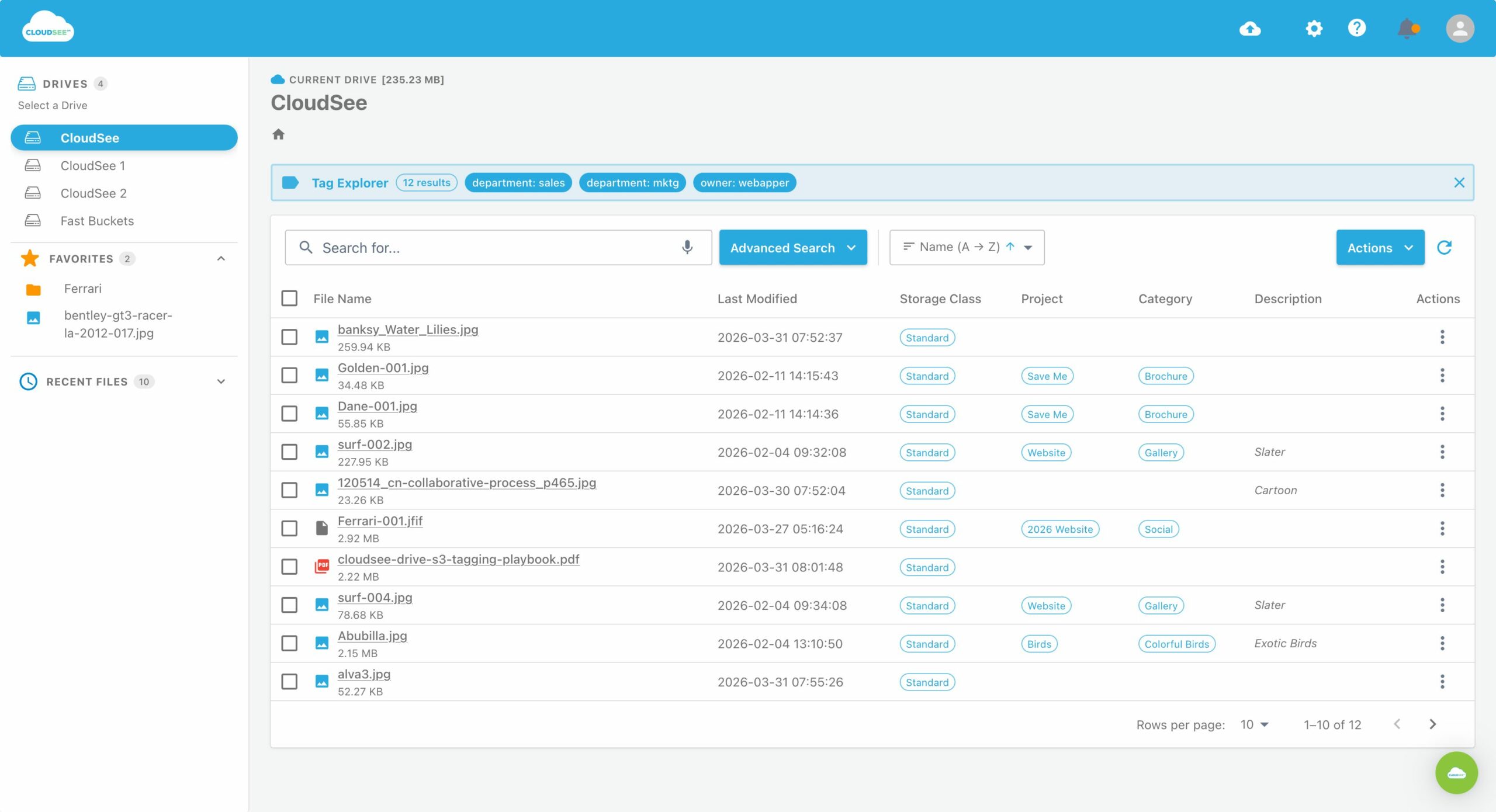
CloudSee Drive helps SMB teams inspect S3 buckets in place before spending money on AI processing. CloudSee’s Fast Buckets and Tag Explorer capabilities are designed to help users locate objects and filter by existing tags without moving data out of the AWS account, while respecting IAM permissions.
One IAM Rule
Give each AI pipeline its own IAM role, limited to the source prefix it needs to read and the destination prefix it needs to write. A narrowly scoped invoice workflow should not be able to read payroll documents. A support-call transcription job should not have access to legal documents. IAM policies are cheap when the pipeline has one job and expensive when someone asks you six months later who could access what.
Amazon S3 AI Use Cases
Start with one workflow, a hard AWS Budget cap, and a 30-day test. Measure the hours returned to a person. If the result is real, ship the next one. That is how AI becomes useful instead of becoming another slide deck with “strategy” in the title.
Leave A Comment