

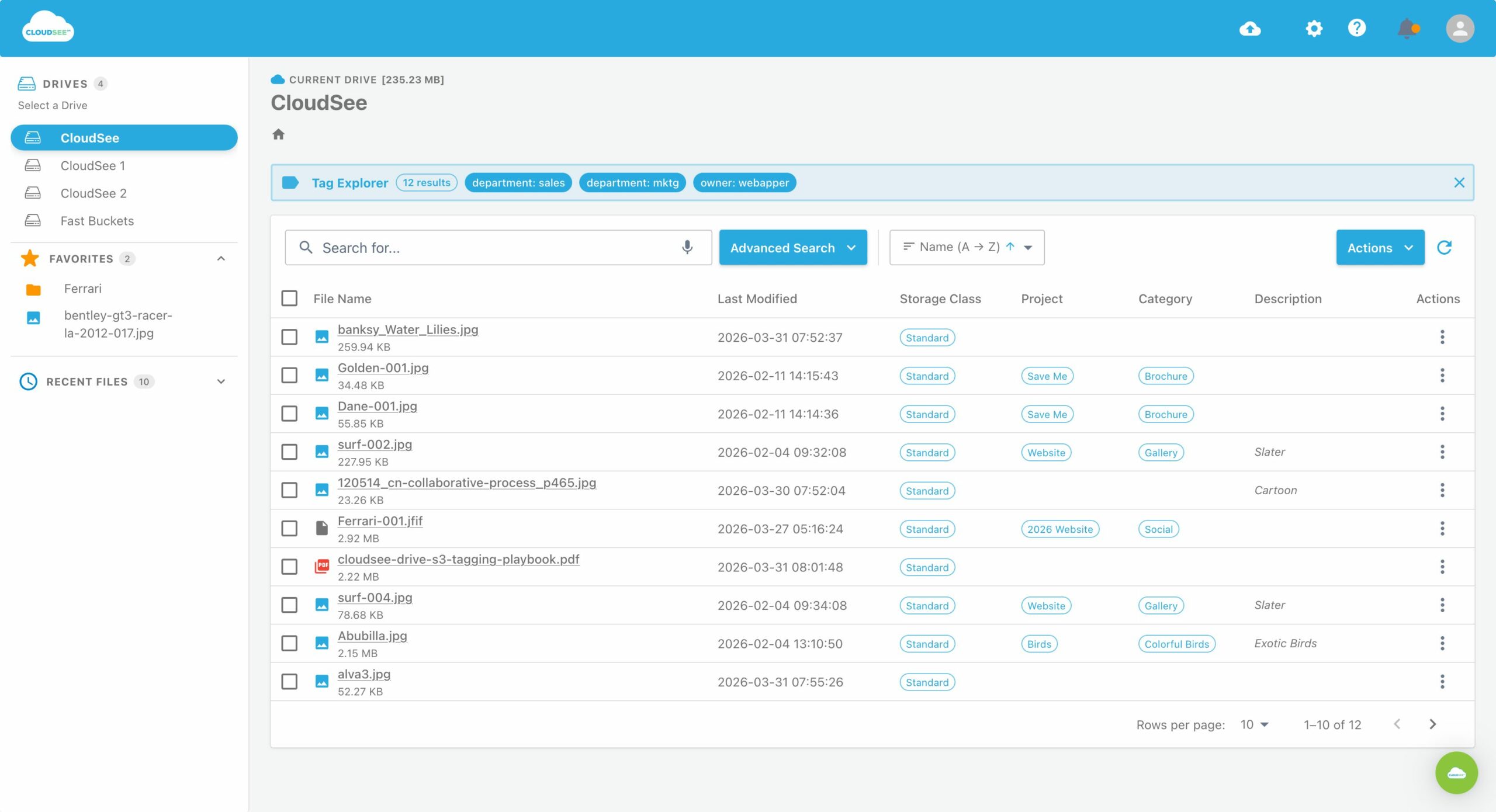
Your AI assistant can write Terraform, lint IAM policies, and explain why your bucket policy is a nightmare. What it often cannot do is interact with a live S3 environment (list objects, inspect data, or generate presigned URLs) without you building a fragile layer of custom integration code. That gap is exactly what Model Context Protocol (MCP) closes. For AWS teams, it is quickly becoming the difference between AI demos and AI workflows that ship. This guide will show how to connect an AI client to Amazon S3 through MCP, choose the right server architecture, and avoid the permission and observability mistakes that derail most first AI deployments.
What MCP Does for S3
MCP is an open standard that gives LLMs structured, permissioned access to external tools. Instead of bolting bespoke integrations onto every AI use case, MCP provides a consistent interface for discovery and execution of actions. For Amazon S3, that translates into controlled capabilities such as:
- Listing objects within a defined prefix.
- Retrieving or inspecting object contents.
- Generating presigned URLs.
- Querying structured datasets (via S3 Tables or similar abstractions).
The key shift is that the model is no longer guessing based on static context. It is executing real operations against live infrastructure within boundaries you define.
Prerequisites
Before wiring anything up, make sure you have:
- An AWS account with S3 buckets or S3 Tables.
- A tightly scoped IAM role (not “temporary admin for testing”).
- An MCP-compatible client (coding assistants, agent frameworks, or internal tooling).
- A runtime target (local for dev, ECS or Lambda for production).
If your IAM strategy is “we’ll fix it later,” stop here. You won’t.
Step-by-Step: Connecting AI to S3 via MCP
1. Choose the Right MCP Server.
Not all MCP servers are equal. Picking the wrong one creates unnecessary complexity.
- AWS API MCP Server: Broad coverage, wraps AWS APIs (including S3), useful for multi-service workflows.
- S3 Tables MCP Server: Purpose-built for structured data and query patterns.
- Lightweight community servers: Ideal for object-level operations like listing, reading, and URL generation.
Example: If your workflow is “classify uploaded PDFs and tag them,” a lightweight S3-focused server is faster to implement and easier to secure than a full AWS API wrapper.
2. Lock Down IAM.
The MCP server inherits whatever permissions your credentials have. This is where most teams quietly introduce risk. Define:
- Specific buckets and prefixes (avoid wildcards where possible).
- Allowed actions (e.g., s3:GetObjects3:GetObjects3:GetObject, s3:ListBuckets3:ListBuckets3:ListBucket, not s3:∗s3:*s3:∗).
- Explicit denies for sensitive paths.
A good mental model: if the AI misbehaves, what is the blast radius? Then shrink it.
3. Deploy the Server Like You Mean It.
Local studio-based servers are okay for testing. Production needs something more durable. Common patterns:
- ECS with Service Connect: Stable, scalable, and integrates cleanly with VPC networking.
- AWS Lambda wrapper: Good for on-demand execution, but watch cold starts and execution limits.
Avoid leaving this as a long-running process on someone’s laptop (unless your definition of “production” is generous).
4. Design Workflows, Not Prompts.
The real value of AI-powered S3 workflows is repeatable pipelines.
Instead of: “Look at this bucket and organize it.”
Define:
- List new objects in prefix.
- Retrieve and classify content.
- Apply tags or move objects.
- Flag exceptions.
To make behavior predictable and auditable, each step should map to explicit MCP tool calls.
5. Instrument Everything.
If it touches S3, it should be logged. At minimum:
- CloudTrail for API-level visibility.
- Application-level logs for MCP tool calls.
- Correlation IDs for tracing workflows.
Without this, debugging becomes forensic analysis instead of engineering.
Avoid These Common Mistakes
- Over-permissioned IAM roles: “We’ll tighten it later” rarely happens.
- Treating MCP as a black box: You need to understand what tools are exposed and how they behave.
- Choosing generic servers over purpose-built ones: Adds unnecessary complexity.
- Skipping audit trails: Guarantees pain during the first incident.
How to Verify It’s Working
Test at three levels:
- Access control: The AI can only see what it should and nothing else.
- Observability: Every action appears in logs and audit systems.
- Workflow completion: End-to-end tasks run without human intervention for standard cases.
Example: Upload 10 files to a test prefix. Your workflow should classify, tag, and route them with logs proving each step.
Build Your AI-Powered S3 Workflows with MCP
AI-powered S3 workflows are moving toward standardized, auditable integrations rather than custom glue code. MCP is the abstraction layer that makes this viable at scale. Teams that get IAM scoping, server selection, and observability right now will avoid painful rewrites later—especially as these workflows expand beyond S3 into broader AWS automation. If you are evaluating how to operationalize this, the real differentiator is not whether AI can access S3. It is whether that access is controlled, observable, and production-safe.
Leave A Comment