

How to Find What You Don’t Know You Don’t Know
No one inherits a clean S3 environment. Everyone inherits artifacts. You know, a few buckets have sensible names. Dozens don’t. Policies have been layered over time. Objects were written by scripts nobody owns anymore. And almost always, there’s data without tags, ownership, or context. The risk isn’t obvious…it’s ambiguity. Costs you can’t explain, access you didn’t intend, and data you can’t classify. The fix to an out-of-control cloud is a quick, structured S3 environment audit that gives you ground truth.
Why S3 Audits Break Down
Most admins start in the console and click until they feel oriented. That works until scale arrives. Even mid-sized environments quickly hit…
- Dozens of buckets across accounts
- Millions of objects without tags
- Policies added incrementally, rarely removed
At that point, three systemic gaps show up…
- No attribution: Untagged S3 objects can’t be tied to teams or budgets. Cost allocation breaks immediately.
- Permission drift: IAM roles and bucket policies accumulate access over time, especially cross-account.
- Silent exposure: Public access settings get toggled for one use case and never revisited.
AWS gives you the primitives. You have to assemble the narrative yourself.
What a Good Audit Delivers
A single pass should tell you three things…
- Cost clarity: Industry benchmarks (Gartner, Flexera) consistently show ~30% cloud waste. In S3, untagged data is a primary driver because it’s invisible to allocation and lifecycle policy decisions.
- Risk reduction: Public or external access is still one of the most common sources of data exposure. These are usually fixed quickly once identified.
- A baseline: You can’t enforce tagging, lifecycle, or access standards going forward without knowing the current state.
Your audit must identify these areas.
The Practical Audit Workflow
Focus on visibility first. Don’t start deleting or locking things down until you can see the broad shape of your environment.
1. Map cost without tags
Go to Cost Explorer, filter by S3, and group by bucket. Then compare against your cost allocation tags. You’re looking for buckets generating spend with no tags and disproportionate storage vs. request costs (often signals misuse or logging bloat).
Export your results. It’s your first signal of “unknown ownership.”
2. Use S3 Storage Lens for aggregate visibility
Enable it at the org level if possible. Key metrics to scan…
- Object counts by bucket and storage class
- Incomplete multipart uploads (easy cost leakage)
- Replication status and anomalies
This replaces bucket-by-bucket inspection with a single surface.
3. Identify external and public access
Run IAM Access Analyzer scoped to S3. Focus on cross-account access you didn’t expect and public access grants at bucket or object level. Validate Block Public Access settings per bucket. Don’t assume defaults are still in place.
4. Find orphaned buckets
Look for buckets that are older than 12 months, missing tags & clear ownership, and showing little or no recent access. Correlate with CloudTrail or access logs if you can. These are prime candidates for lifecycle policies or deprecation.
5. Quantify the untagged object problem
This is where most audits stall. Bucket-level tagging is insufficient. Cost and governance decisions usually require object-level visibility. AWS doesn’t make this easy to enumerate at scale without scripting.
If you can’t answer “what percentage of our S3 objects are untagged?”, you still don’t have control of the environment.
Where Tools Like CloudSee Drive Help
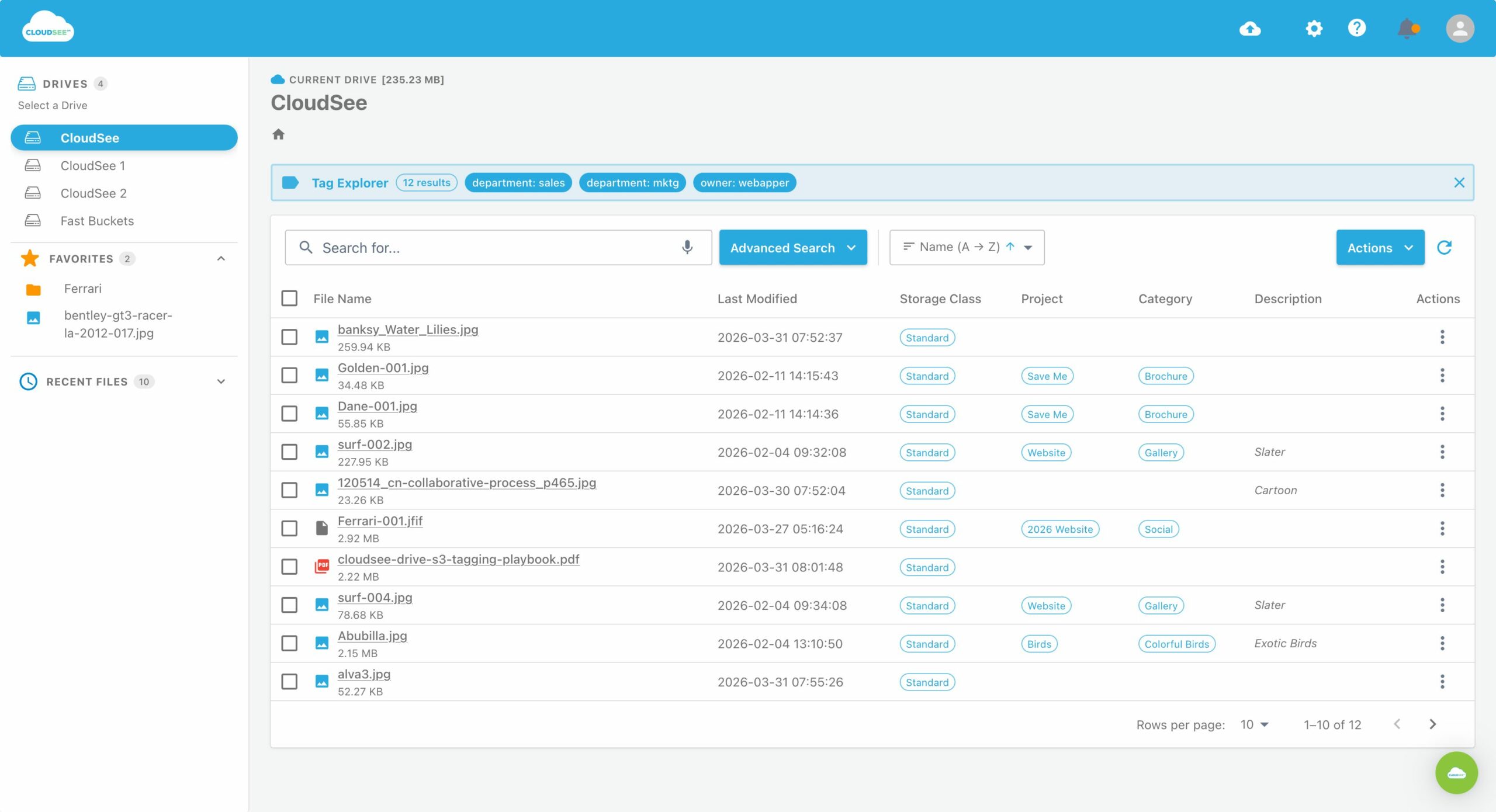
The manual path works, but it’s slow and fragmented across services. CloudSee Drive can help with the visibility gap, especially around untagged S3 objects and files. Instead of stitching together CLI scripts and reports, you get a browsable view across buckets with tag filtering built in. That matters because the bottleneck in most audits is discovery.
For example, VisionAST, an automotive SaaS company, reduced S3 management time by 75% after introducing CloudSee Drive.
What to Do After the S3 Environment Audit
Don’t try to fix everything at once. Lock in control first.
- Enforce tagging on new objects (SCPs or pipeline-level controls)
- Enable lifecycle policies for obvious cold data
- Remove or tighten any confirmed unnecessary access
- Document ownership at the bucket level as a minimum baseline
Then you can iterate. The first audit gives you visibility. The second is where optimization starts to compound.
The Reality
Most S3 environments older than two years look like this. Multiple teams, evolving use cases, no consistent governance early on. That’s normal. What’s not sustainable is operating without visibility. Untagged S3 objects are a signal that you don’t have a complete model of your environment. Once you fix that, cost control, security, and compliance all get easier at the same time.
Leave A Comment