

You probably didn’t design your current bucket structure. Someone else created your Amazon S3 architecture, maybe several engineers ago during a sprint when “we’ll clean it up later” sounded OK. Now you’re staring at 50,000 objects jammed into one folder. The AWS Console keeps freezing, and file management that should take seconds really takes minutes. You didn’t break it, but you’re the one paying for it.
Why S3 Architectures Turn Into Technical Debt
This story is almost universal. Early-stage bucket structures are built for speed, not scale. Decisions made under shipping pressure (minimal governance, no prefix strategy) work fine at 500 objects. At 5,000, they’re annoying. After passing 50,000, they’re unsustainable.
The AWS Console wasn’t built for this scale. It’s a visibility tool, not a high-performance file browser. Once a single prefix holds tens of thousands of objects, pagination lags, timeouts multiply, and every click burns minutes of productivity.
To make matters worse, S3 architecture is rarely revisited. Unlike compute or database layers, storage sits quietly in the environment until it causes pain: an application timeout, a compliance failure, or a failed audit that exposes years of organic sprawl. When that happens, your “just works” bucket structure suddenly becomes a serious liability.
The Cost of Poor S3 Design
A messy bucket structure is inconvenient, as it slows apps, increases costs, and weakens security. Looking closer…
You face performance bottlenecks.
Amazon S3 supports roughly 3,500 PUT and 5,500 GET requests per second *per prefix.* A flat structure forces all activity through one prefix, creating artificial throughput limits. To scale horizontally, AWS recommends distributing objects across multiple prefixes—your architecture *literally* dictates your performance ceiling.
Security risks increase.
Disorganized storage forces teams to over-permission. When paths aren’t predictable, IAM policies have to be broad just to function. Reports indicate that 90% of cloud identities use fewer than 5% of their permissions—proof that poor bucket design and overexposure go hand in hand.
Users feel operational drag.
Every wasted minute navigating sluggish buckets or manually auditing object paths adds up. Multiply that across accounts and teams, and the cost of “good enough” architecture becomes obvious.
This inefficiency hits hardest where it matters most: uptime, security, and developer velocity.
Your S3 Architecture Audit & Fix Plan
Start with structure, then scale systematically.
1. Run an S3 Inventory.
Turn on S3 Inventory to generate CSV or Parquet reports of every object. Include size, class, and metadata. Analyze with Amazon Athena to pinpoint overloaded prefixes…no manual browsing required.
2. Map your prefix health.
If more than 20% of objects live under one top-level prefix, you need to segment. Redesign prefixes to match logical access patterns. Use date, environment, tenant, or app component to distribute load evenly.
3. Audit IAM policies.
Use AWS IAM Access Analyzer to identify overly broad permissions. A rational bucket hierarchy makes it easier to enforce least-privilege access, shrinking your blast radius dramatically.
4. Prioritize hot paths first.
Focus on the prefixes your applications or users access the most. Use S3 Batch Operations to copy or rekey objects without downtime. Leave cold data refactors for later phases.
Small, structured steps compound quickly. Each improvement raises performance, reliability, and manageability.
Where CloudSee Drive Chips In
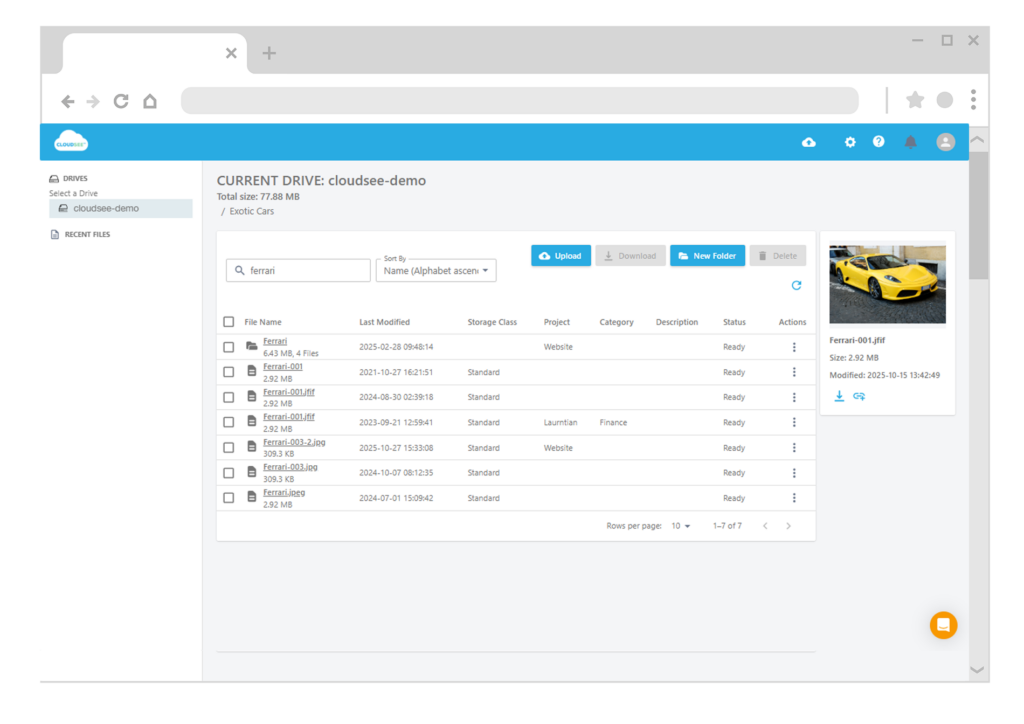
This is exactly where CloudSee Drive helps AWS teams regain control. Fast Buckets delivers 10x faster browse and search performance across massive buckets—making audits, reorganizations, and investigations practical again. Instead of fighting timeouts in the AWS Console, CloudSee Drive gives you instant visibility into your storage layout and object distribution. That clarity is what turns S3 chaos into strategy.
You Inherited the Debt. You Don’t Have to Keep Paying It.
When you inherit someone else’s S3 mess, seeing the whole picture clearly is the first (and biggest) step toward fixing it. The bucket structure you have today wasn’t designed to fail. It just wasn’t designed to scale. Thankfully, S3 debt is fixable. Every improvement returns measurable performance, cost, and security gains. Start with inventory. Map your prefixes. Fix your hot paths. And use tools that make visibility a given, not a luxury.
The AWS Console got you here. The right structure (and perhaps a little help from CloudSee Drive) will get you out.
TL;DR
Most S3 performance and security problems trace back to poor bucket design. A flat prefix structure limits throughput, complicates IAM, and drags productivity. Run S3 Inventory, restructure prefixes around actual access patterns, and automate audits. Tools like CloudSee Drive give you the visibility and speed AWS Console can’t — helping SaaS teams fix legacy S3 debt without downtime.
Leave A Comment