

The Hand‑Off Nobody Wants
The org chart changed. Again. Maybe it was layoffs. Maybe it was a team shuffle. Or an AI realignment that collapsed two developer roles into yours. Either way, you’re suddenly responsible for an S3 environment you didn’t build. Designed by someone who’s no longer around to explain it, you find (of course) there’s no documentation. No handoff notes (shocking). Just a cluster of buckets named project-assets-v2, backup-final-REAL, do-not-delete-henry, and a vague instruction to “keep it running.” Welcome to the Amazon S3 handoff problem, a uniquely painful rite of passage for AWS admins and developers alike.
Why S3 Handoffs Are Tricky
Most systems leave you some breadcrumbs…
- A codebase has commit history.
- A database has a schema.
- Even a messy ECS config tells a story.
S3? None of that. Buckets don’t describe intent. Object prefixes are not documentation. What you inherit is the result of years of urgent, undocumented decisions, often by a well-meaning developer under deadline pressure. The pain comes from three hidden factors:
Broken permissions logic.
IAM roles, bucket policies, and ACLs evolve over time into a snarl only the original developer could decode. Some buckets use ACLs; others rely on Lambda-attached roles; a few may still allow public access no one remembers authorizing.
Inconsistent naming and structure.
Prefixes that once felt intuitive now read like digital archeology. There’s no standardized hierarchy to guide cleanup or automation.
Invisible data behavior.
Versioning toggled inconsistently, lifecycle policies half-configured, and no trace of logging . It’s all invisible until they generate cost spikes or compliance trouble.
The first rule of S3 inheritance: you can’t protect or optimize what you can’t see.
The S3 Audit (Triage)
Your initial goal is situational awareness, not perfection. Move fast from “I have no idea” to “I know what’s risky.” Here’s a five‑step triage plan:
1. Get a complete inventory.
Run or automate an inventory across all buckets, regions, and storage classes. A concise list of buckets, sizes, and usage patterns reveals whether you’re managing a lean structure or a fragmented S3 sprawl.
2. Surface permission exposure.
Check which buckets have Block Public Access disabled, ACLs still active, or wildcard policies (`”*”` access) with unclear conditions. These are compliance and data‑leak time bombs. Fix them before the next audit does.
3. Map access.
Use IAM reports and AWS Access Analyzer to identify all roles and cross-account permissions. Prioritize functions or integrations that still reference expired roles, legacy apps, or old vendor accounts.
4. Review versioning and lifecycle rules.
Unmanaged versioning racks up silent costs. If versioning is enabled but lifecycle rules aren’t, you’re probably paying for years of obsolete object versions. Tighten lifecycle policies and expiration rules immediately.
5. Verify logging and monitoring.
If CloudTrail and S3 server access logging aren’t active, flip them on now. Even minimal logging gives you future forensic visibility and build context if something breaks.
These steps establish control without diving into bucket-level micromanagement. Think of them as AWS triage for inherited infrastructure.
The Bigger Problem: Visibility Decays Over Time
The Amazon S3 audit stabilizes your environment, but it does not prevent tomorrow’s chaos. S3 environments naturally drift toward disorganization because access, cost, and content change faster than documentation. Poor visibility tooling or process discipline restarts the same cycle of confusion. Smart AWS teams avoid this pattern by making S3 visibility continuous, not reactive.
- Maintain an up‑to‑date inventory and permissions map.
- Automate versioning and lifecycle checks in your CI/CD pipeline.
- Build simple dashboards or reports for ongoing cost and compliance status.
Cleaning up once #FAIL. Never lose your map again.
TL;DR
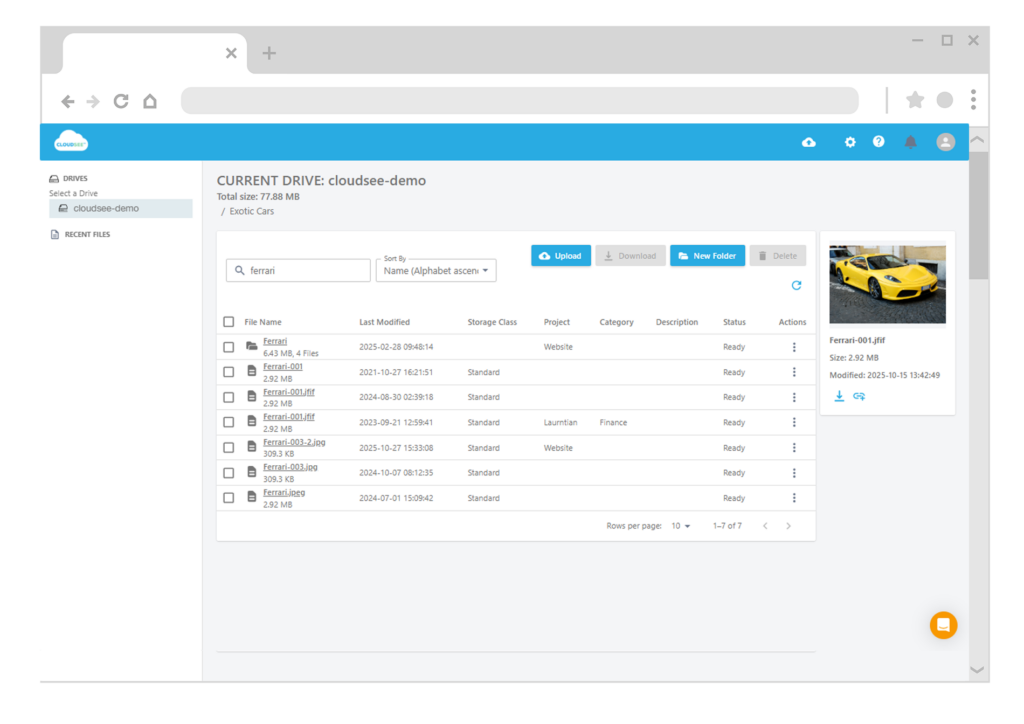
When the original developer leaves, most S3 environments turn into opaque, undocumented risk zones. Run a quick triage audit — inventory buckets, check exposure, map access, verify lifecycle rules, and enable logging. Then make visibility continuous. Tools like CloudSee Drive make inherited S3 management faster, safer, and far less painful for AWS admins and SaaS developers.
Leave A Comment